On this page
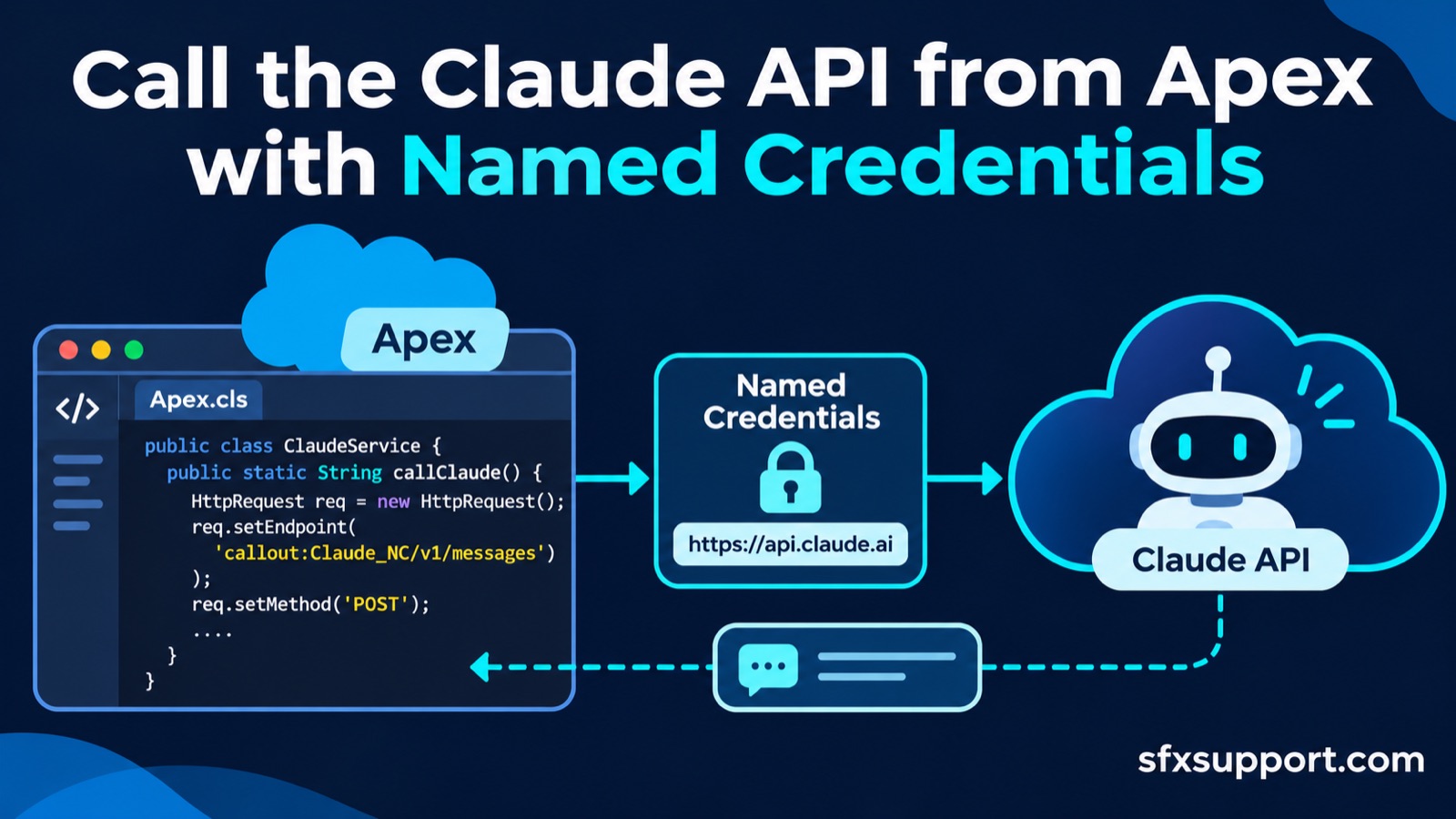
To call the Claude API from Apex, store a workspace-scoped Anthropic key in a Custom-protocol External Credential that adds an x-api-key header, and point a Named Credential at https://api.anthropic.com. POST model, max_tokens and messages to callout:Anthropic_API/v1/messages with anthropic-version: 2023-06-01, read the content text blocks, check stop_reason, and test with HttpCalloutMock.
Your team has chosen Claude for a Salesforce job, such as summarising cases, drafting replies or sorting free-text feedback, and you want to call it straight from Apex. Most examples online paste the API key into code or a Custom Setting, skip error handling, and have no test class. This Claude API Apex guide does it properly: the key lives in an External Credential, every Anthropic error turns into a typed Apex exception, there’s an invocable action for Flow, and a test class covers success, truncated output, rate limits, spend caps and gateway errors. If you also need OpenAI or Gemini behind one interface, see the pillar guide: Call Claude, OpenAI and Gemini from Apex.
What do you need before calling the Claude API from Apex?
You need an org that allows Apex callouts, admin rights to create credentials, a workspace-scoped Anthropic API key, a current model ID and data-protection sign-off. The details:
- A Salesforce org that allows Apex callouts (Developer Edition, sandbox, Enterprise or above) on a recent API version. External Credentials arrived in API 56.0. This guide uses the current External Credential + Named Credential model, not legacy named credentials.
- System Administrator access, or the Customize Application and Manage Named Credentials permissions.
- A workspace-scoped Anthropic API key. Create it in the Claude Console (platform.claude.com) under API Keys, inside the workspace you want billed. Anthropic’s authentication docs say a key that isn’t scoped to a workspace must send an
anthropic-workspace-idheader on every request; a workspace-scoped key can omit it. Set a spend limit for your organisation or workspace in the console too. - A model ID your account can use. On 25 Nov 2026, Anthropic’s models page lists
claude-opus-5-5,claude-sonnet-5-5,claude-haiku-5-5andclaude-fable-5-2. Check the page again before you deploy, because model IDs get retired. - Sign-off from whoever owns data protection. A direct callout sends record text to Anthropic. It does not go through the Einstein Trust Layer, so masking and audit are your job.
Direct callout or Salesforce Models API? Use a direct callout when you need a specific Claude model, a new Anthropic feature on day one, or billing on your own Anthropic account. Use the Models API (aiplatform namespace) when your security team requires Trust Layer masking and audit. The pillar post compares the two in detail.
What does a Claude API request look like from Apex?
The Claude Messages API is a single JSON POST. Here is how each piece of the HTTP request maps to Apex and Salesforce:
| Part of the request | Claude API expects | Where it lives in Salesforce |
|---|---|---|
| URL | https://api.anthropic.com/v1/messages |
Named Credential URL + path in setEndpoint |
| API key | x-api-key header |
External Credential custom header (formula) |
| Version | anthropic-version: 2023-06-01 header |
req.setHeader(...) in Apex |
| Content type | content-type: application/json |
req.setHeader(...) in Apex |
| Model | model (body) |
Apex parameter (keep it configurable) |
| Output cap | max_tokens (body) |
Apex parameter |
| System prompt | system (body, optional) |
Apex parameter |
| User turn | messages: [{role: "user", content: "..."}] |
Apex parameter |
The response body puts the generated text in a content array. Read every item whose type is text. It also returns stop_reason and a usage object with input_tokens and output_tokens. Possible stop_reason values include end_turn, max_tokens, stop_sequence, tool_use, pause_turn, refusal and model_context_window_exceeded. For a plain text request, only end_turn means the answer is complete.
Errors come back as JSON with a top-level "type": "error", an error object holding type and message, and a request_id. Every response also carries a request-id header. Log it, because Anthropic support asks for it.
How do I set up the Named Credential and External Credential for Claude?
The External Credential holds the key and adds the header at run time. The Named Credential holds the URL. Apex only ever sees callout:Anthropic_API.
- Create the External Credential. Setup → Quick Find → Named Credentials → External Credentials tab → New.
- Label:
Anthropic, Name:Anthropic - Authentication Protocol: Custom
- Save.
- Label:
- Add a principal that holds the key. On the
AnthropicExternal Credential, go to Principals → New.- Parameter Name:
ClaudeKey - Sequence Number:
1 - Identity Type: Named Principal (one org-wide key)
- Add Authentication Parameter → Name:
apiKey, Value: paste your workspace-scoped Anthropic key. - Save. Salesforce stores authentication parameters as secrets. They aren’t shown again and aren’t included in metadata.
- Parameter Name:
- Add the
x-api-keyheader. On the same External Credential, go to Custom Headers → New.- Name:
x-api-key - Value:
{!$Credential.Anthropic.apiKey} - Sequence Number:
1 - Only if your key is not workspace-scoped: add a second custom header named
anthropic-workspace-idwhose value is your workspace ID (Sequence Number2). A workspace-scoped key is simpler and is what this guide assumes.
- Name:
- Create the Named Credential. Setup → Named Credentials → Named Credentials tab → New.
- Label:
Anthropic API, Name:Anthropic_API - URL:
https://api.anthropic.com - Enabled for Callouts: on
- External Credential:
Anthropic - Generate Authorization Header: unchecked (Claude doesn’t use
Authorization) - Allow Formulas in HTTP Header: checked (without this, the formula is sent as literal text)
- Save.
- Label:
- Create a permission set for callers. Setup → Permission Sets → New → Label
Claude Callout Access, API NameClaude_Callout_Access.- External Credential Principal Access → Edit → add
Anthropic - ClaudeKey→ Save. - Object Settings → User External Credentials → Edit → Read and View All. With a named principal and Custom authentication, callers need this access to use the stored credential, not just principal access. See Salesforce Help: Permission Concepts for User External Credentials (linked under Official sources).
- Apex Class Access → Edit → add
ClaudeInvocable(for Flow users) andClaudeClient(for LWC or Aura controllers that call it) → Save. Do this after you deploy the classes. - Assign the permission set to every user whose transaction makes the callout. That includes integration users and the user who schedules or enqueues async jobs.
- External Credential Principal Access → Edit → add
The formula syntax is $Credential.<ExternalCredentialName>.<ParameterName>. Both names are case-sensitive. If you rename the External Credential, update the header formula too.
Can I keep the Claude credentials in source control?
Yes, everything except the key. Once you’ve done the setup in a sandbox, retrieve it:
sf project retrieve start \
  --metadata ExternalCredential:Anthropic NamedCredential:Anthropic_API PermissionSet:Claude_Callout_Access \
  --target-org my-sandbox
The retrieved files should look like the ones below. These match the documented ExternalCredential and NamedCredential structure, but treat the files your own org retrieves as the source of truth. If element order or names differ in your release, keep the retrieved version.
<!-- force-app/main/default/externalCredentials/Anthropic.externalCredential-meta.xml -->
<?xml version="1.0" encoding="UTF-8"?>
<ExternalCredential xmlns="http://soap.sforce.com/2006/04/metadata">
    <authenticationProtocol>Custom</authenticationProtocol>
    <externalCredentialParameters>
        <parameterGroup>ClaudeKey</parameterGroup>
        <parameterName>ClaudeKey</parameterName>
        <parameterType>NamedPrincipal</parameterType>
        <sequenceNumber>1</sequenceNumber>
    </externalCredentialParameters>
    <externalCredentialParameters>
        <parameterGroup>DefaultGroup</parameterGroup>
        <parameterName>x-api-key</parameterName>
        <parameterType>AuthHeader</parameterType>
        <parameterValue>{!$Credential.Anthropic.apiKey}</parameterValue>
        <sequenceNumber>1</sequenceNumber>
    </externalCredentialParameters>
    <label>Anthropic</label>
</ExternalCredential>
<!-- force-app/main/default/namedCredentials/Anthropic_API.namedCredential-meta.xml -->
<?xml version="1.0" encoding="UTF-8"?>
<NamedCredential xmlns="http://soap.sforce.com/2006/04/metadata">
    <allowMergeFieldsInBody>false</allowMergeFieldsInBody>
    <allowMergeFieldsInHeader>true</allowMergeFieldsInHeader>
    <calloutStatus>Enabled</calloutStatus>
    <generateAuthorizationHeader>false</generateAuthorizationHeader>
    <label>Anthropic API</label>
    <namedCredentialParameters>
        <parameterName>Url</parameterName>
        <parameterType>Url</parameterType>
        <parameterValue>https://api.anthropic.com</parameterValue>
    </namedCredentialParameters>
    <namedCredentialParameters>
        <externalCredential>Anthropic</externalCredential>
        <parameterName>ExternalCredential</parameterName>
        <parameterType>Authentication</parameterType>
    </namedCredentialParameters>
    <namedCredentialType>SecuredEndpoint</namedCredentialType>
</NamedCredential>
The permission set grants principal access with an externalCredentialPrincipalAccesses block whose principal value is the External Credential name and principal name joined by a hyphen. Apex class access appears as classAccesses blocks:
<!-- excerpt from Claude_Callout_Access.permissionset-meta.xml -->
<classAccesses>
    <apexClass>ClaudeClient</apexClass>
    <enabled>true</enabled>
</classAccesses>
<classAccesses>
    <apexClass>ClaudeInvocable</apexClass>
    <enabled>true</enabled>
</classAccesses>
<externalCredentialPrincipalAccesses>
    <enabled>true</enabled>
    <externalCredentialPrincipal>Anthropic-ClaudeKey</externalCredentialPrincipal>
</externalCredentialPrincipalAccesses>
After you deploy to a new org (UAT, production), open the ClaudeKey principal in Setup and enter the key for that org. The key never travels with the deployment, which also makes it easy to give each environment its own key and spend limit.
How do I write the Apex class that calls Claude?
ClaudeClient builds the request, sends it through the Named Credential, turns non-200 responses into a ClaudeException that carries the Anthropic error type, request ID and retry-after value, and returns the text, stop reason and token usage.
public with sharing class ClaudeClient {

    // Example ID: confirm on Anthropic's models page before deploying.
    public static final String DEFAULT_MODEL = 'claude-sonnet-5-5';
    @TestVisible private static final String ENDPOINT = 'callout:Anthropic_API/v1/messages';
    @TestVisible private static final String API_VERSION = '2023-06-01';
    private static final Integer TIMEOUT_MS = 120000; // Salesforce maximum per callout
    private static final Integer MAX_ENQUEUE_DELAY_MINUTES = 10; // System.enqueueJob delay limit

    public class ClaudeException extends Exception {
        public Integer statusCode;      // null for validation errors raised before the callout
        public String errorType;        // e.g. rate_limit_error, overloaded_error
        public String errorCode;        // error.details.error_code when present
        public String requestId;        // request-id response header
        public Integer retryAfterSeconds;

        public Boolean isRetryable() {
            // Spend caps won't clear by waiting: alert an admin instead.
            // Anthropic's error reference doesn't publish every error_code value,
            // so treat any code that mentions a spend limit as final.
            if (errorCode != null && errorCode.containsIgnoreCase('spend_limit')) {
                return false;
            }
            return statusCode == 429 || statusCode == 500 || statusCode == 504 || statusCode == 529;
        }

        // Minutes to pass to System.enqueueJob(job, delay), rounded up from retry-after.
        // Returns null when the wait is longer than 10 minutes, which enqueueJob
        // can't express: schedule that retry another way (see design notes).
        public Integer retryDelayMinutes() {
            if (retryAfterSeconds == null || retryAfterSeconds <= 0) {
                return 1;
            }
            Integer minutes = (retryAfterSeconds + 59) / 60;
            return minutes <= MAX_ENQUEUE_DELAY_MINUTES ? minutes : null;
        }
    }

    public class ClaudeRequest {
        public String model = DEFAULT_MODEL;
        public String systemPrompt;
        public String userPrompt;
        public Integer maxTokens = 1024;
    }

    public class ClaudeResponse {
        public String id;
        public String model;
        public String text = '';
        public String stopReason;
        public Integer inputTokens;
        public Integer outputTokens;

        // Only treat the answer as finished when Claude ended its turn normally.
        public Boolean isComplete() {
            return stopReason == 'end_turn' && String.isNotBlank(text);
        }
    }

    public static ClaudeResponse send(ClaudeRequest r) {
        if (r == null || String.isBlank(r.userPrompt)) {
            throw new ClaudeException('userPrompt is required.');
        }
        if (String.isBlank(r.model)) {
            throw new ClaudeException('model is required.');
        }
        if (r.maxTokens == null || r.maxTokens < 1) {
            throw new ClaudeException('maxTokens must be at least 1.');
        }
        if (Limits.getCallouts() >= Limits.getLimitCallouts()) {
            throw new ClaudeException('Callout limit reached in this transaction.');
        }

        HttpResponse res = new Http().send(buildHttpRequest(r));
        if (res.getStatusCode() != 200) {
            throw toException(res);
        }
        return parse(res.getBody());
    }

    @TestVisible
    private static HttpRequest buildHttpRequest(ClaudeRequest r) {
        Map<String, Object> payload = new Map<String, Object>{
            'model' => r.model,
            'max_tokens' => r.maxTokens,
            'messages' => new List<Object>{
                new Map<String, Object>{ 'role' => 'user', 'content' => r.userPrompt }
            }
        };
        if (String.isNotBlank(r.systemPrompt)) {
            payload.put('system', r.systemPrompt);
        }

        HttpRequest req = new HttpRequest();
        req.setEndpoint(ENDPOINT);
        req.setMethod('POST');
        req.setTimeout(TIMEOUT_MS);
        req.setHeader('content-type', 'application/json');
        req.setHeader('anthropic-version', API_VERSION);
        // No x-api-key here: the External Credential adds it at run time.
        req.setBody(JSON.serialize(payload));
        return req;
    }

    @TestVisible
    private static ClaudeResponse parse(String body) {
        Map<String, Object> root = (Map<String, Object>) JSON.deserializeUntyped(body);
        ClaudeResponse out = new ClaudeResponse();
        out.id = (String) root.get('id');
        out.model = (String) root.get('model');
        out.stopReason = (String) root.get('stop_reason');

        List<Object> content = (List<Object>) root.get('content');
        if (content != null) {
            for (Object o : content) {
                Map<String, Object> block = (Map<String, Object>) o;
                if ('text'.equals(block.get('type')) && block.get('text') != null) {
                    out.text += (String) block.get('text');
                }
            }
        }

        Map<String, Object> usage = (Map<String, Object>) root.get('usage');
        if (usage != null) {
            out.inputTokens = (Integer) usage.get('input_tokens');
            out.outputTokens = (Integer) usage.get('output_tokens');
        }
        return out;
    }

    @TestVisible
    private static ClaudeException toException(HttpResponse res) {
        Integer status = res.getStatusCode();
        String errorType = 'http_' + status;
        String message = String.valueOf(res.getBody()).left(500);
        String errorCode;

        try {
            Map<String, Object> root = (Map<String, Object>) JSON.deserializeUntyped(res.getBody());
            Map<String, Object> err = (Map<String, Object>) root.get('error');
            if (err != null) {
                errorType = (String) err.get('type');
                message = (String) err.get('message');
                Map<String, Object> details = (Map<String, Object>) err.get('details');
                if (details != null) {
                    errorCode = (String) details.get('error_code');
                }
            }
        } catch (Exception notJson) {
            // A proxy or gateway returned HTML or plain text: keep the raw snippet.
        }

        ClaudeException e = new ClaudeException(
            'Claude API returned HTTP ' + status + ' (' + errorType + '): ' + message);
        e.statusCode = status;
        e.errorType = errorType;
        e.errorCode = errorCode;
        e.requestId = res.getHeader('request-id');
        String retryAfter = res.getHeader('retry-after');
        if (String.isNotBlank(retryAfter) && retryAfter.isNumeric()) {
            e.retryAfterSeconds = Integer.valueOf(retryAfter);
        }
        return e;
    }
}
Try it in Execute Anonymous (Developer Console → Debug → Open Execute Anonymous Window), running as a user who has the Claude_Callout_Access permission set:
ClaudeClient.ClaudeRequest req = new ClaudeClient.ClaudeRequest();
req.systemPrompt = 'Answer in one sentence.';
req.userPrompt = 'What is a Salesforce governor limit?';
req.maxTokens = 200;

ClaudeClient.ClaudeResponse res = ClaudeClient.send(req);
System.debug(res.text);
System.debug('stop=' + res.stopReason + ' tokens=' + res.inputTokens + '/' + res.outputTokens);
Design notes:
- Check
isComplete()before saving output. Amax_tokensstop means the text was cut off, andrefusalmeans Claude declined. Neither should be written to a record as a finished answer. - Use
isRetryable()andretryDelayMinutes()to decide what happens next. Retry 429, 500, 504 and 529 a few times from a later Queueable.System.enqueueJob(job, delayInMinutes)only accepts a delay of 0 to 10 minutes, soretryDelayMinutes()roundsretry-afterup to whole minutes within that range. When it returns null (Claude asked you to wait more than 10 minutes), store the next retry time on the record and let a Scheduled Apex job orSystem.scheduleBatchpick it up later. Never retry in a loop inside the same transaction, because every attempt uses up the same 120-second callout budget. - Keep the model ID out of code in production. Put it in a Custom Metadata record and set
ClaudeRequest.modelfrom it. Then an admin can move to a new model without a deployment. - Multi-turn chat: add earlier turns to the
messageslist, alternatinguserandassistantroles, before the new user message.
How do I call Claude from Flow or a trigger?
Use an invocable action from a screen flow or an asynchronous path, and never from a trigger or a record-triggered flow’s immediate path. This invocable action wraps ClaudeClient and returns errors as output instead of throwing, so the flow can show a friendly message.
public with sharing class ClaudeInvocable {

    // Each callout can take up to 120 s, and a transaction gets 120 s of callout time in total.
    @TestVisible private static final Integer MAX_CALLS_PER_INVOCATION = 3;

    public class Request {
        @InvocableVariable(label='Prompt' required=true)
        public String prompt;
        @InvocableVariable(label='System prompt')
        public String systemPrompt;
        @InvocableVariable(label='Model ID')
        public String model;
        @InvocableVariable(label='Max tokens')
        public Integer maxTokens;
    }

    public class Result {
        @InvocableVariable(label='Text')
        public String text;
        @InvocableVariable(label='Complete')
        public Boolean isComplete = false;
        @InvocableVariable(label='Stop reason')
        public String stopReason;
        @InvocableVariable(label='Error')
        public String errorMessage;
    }

    @InvocableMethod(label='Ask Claude' category='AI' callout=true
        description='Sends a prompt to the Claude Messages API through the Anthropic_API Named Credential.')
    public static List<Result> ask(List<Request> requests) {
        List<Result> results = new List<Result>();
        Integer calls = 0;

        for (Request r : requests) {
            Result out = new Result();
            if (calls >= MAX_CALLS_PER_INVOCATION) {
                out.errorMessage = 'Skipped: more than ' + MAX_CALLS_PER_INVOCATION
                    + ' Claude calls in one invocation. Use Batch Apex for bulk work.';
                results.add(out);
                continue;
            }
            calls++;

            try {
                ClaudeClient.ClaudeRequest cr = new ClaudeClient.ClaudeRequest();
                cr.userPrompt = r.prompt;
                cr.systemPrompt = r.systemPrompt;
                if (String.isNotBlank(r.model)) {
                    cr.model = r.model;
                }
                if (r.maxTokens != null) {
                    cr.maxTokens = r.maxTokens;
                }
                ClaudeClient.ClaudeResponse resp = ClaudeClient.send(cr);
                out.text = resp.text;
                out.stopReason = resp.stopReason;
                out.isComplete = resp.isComplete();
                if (!out.isComplete) {
                    out.errorMessage = 'Claude did not return a complete answer (stop reason: '
                        + resp.stopReason + '). Do not save this text as final.';
                }
            } catch (ClaudeClient.ClaudeException e) {
                out.errorMessage = e.getMessage();
            } catch (System.CalloutException e) {
                out.errorMessage = 'Callout failed: ' + e.getMessage();
            }
            results.add(out);
        }
        return results;
    }
}
Where to use it:
| Entry point | Can it call Claude directly? | What to do |
|---|---|---|
| Screen flow | Yes | Add the Ask Claude Action element and set its Transaction Control to Let the flow decide, or make sure no DML runs before it in the same transaction. Branch on Complete and show Error when it is false. |
| Record-triggered flow, immediate path | No (callouts aren’t allowed in the save transaction) | Use the Run Asynchronously path, or flag the record for a batch job. |
| Apex trigger | No | The trigger only sets a flag. A Queueable or Batch Apex class that implements Database.AllowsCallouts does the call. |
| LWC / Aura | Yes, via an @AuraEnabled method |
Call ClaudeClient.send from an Apex controller. Expect several seconds of latency. |
| Bulk (hundreds of records) | Not from one transaction | Use the scope-1 Batch Apex pattern in the pillar guide. |
The cap of 3 calls applies to each invocation of the action, not to the whole transaction. A record-triggered flow can bulkify 200 records into one invocation, and 200 Claude calls that each take several seconds won’t fit inside the 120-second cumulative callout limit for a transaction. If several Ask Claude actions run in the same transaction, the counter starts again for each one, so ClaudeClient also checks the transaction-wide callout limit before every call. If you’re not sure whether the entry point should be a flow or Apex, read Flow or Apex? A decision guide. If Claude’s output goes in front of customers, keep a human reviewer in the loop as described in the production-safe case summary pattern.
How do I test a Claude API callout in Apex?
Standard Apex unit tests can’t make real callouts, so you test the Claude API Apex client with an HttpCalloutMock. This test class uses one configurable mock to cover success, request shape, truncated output, retryable and non-retryable 429s, retry delays, a non-JSON gateway error, validation, and the invocable cap.
@IsTest
private class ClaudeClientTest {

    private class ClaudeMock implements HttpCalloutMock {
        Integer status;
        String body;
        Map<String, String> headers = new Map<String, String>();
        HttpRequest lastRequest;
        Integer calls = 0;

        ClaudeMock(Integer status, String body) {
            this.status = status;
            this.body = body;
        }

        public HttpResponse respond(HttpRequest req) {
            calls++;
            lastRequest = req;
            HttpResponse res = new HttpResponse();
            res.setStatusCode(status);
            res.setBody(body);
            for (String k : headers.keySet()) {
                res.setHeader(k, headers.get(k));
            }
            return res;
        }
    }

    private static final String OK_BODY =
        '{"id":"msg_1","type":"message","role":"assistant","model":"claude-sonnet-5-5",'
        + '"content":[{"type":"text","text":"Governor limits cap resource use."}],'
        + '"stop_reason":"end_turn","usage":{"input_tokens":21,"output_tokens":7}}';

    private static final String TRUNCATED_BODY =
        '{"content":[{"type":"text","text":"Partial"}],"stop_reason":"max_tokens",'
        + '"usage":{"input_tokens":5,"output_tokens":200}}';

    private static ClaudeClient.ClaudeRequest req(String prompt) {
        ClaudeClient.ClaudeRequest r = new ClaudeClient.ClaudeRequest();
        r.userPrompt = prompt;
        r.systemPrompt = 'Be brief.';
        r.maxTokens = 200;
        return r;
    }

    @IsTest
    static void returnsTextAndUsage() {
        ClaudeMock mock = new ClaudeMock(200, OK_BODY);
        Test.setMock(HttpCalloutMock.class, mock);

        Test.startTest();
        ClaudeClient.ClaudeResponse res = ClaudeClient.send(req('What is a governor limit?'));
        Test.stopTest();

        Assert.areEqual('Governor limits cap resource use.', res.text);
        Assert.areEqual('end_turn', res.stopReason);
        Assert.areEqual(21, res.inputTokens);
        Assert.areEqual(7, res.outputTokens);
        Assert.areEqual('msg_1', res.id);
        Assert.isTrue(res.isComplete());
    }

    @IsTest
    static void buildsCorrectRequest() {
        ClaudeMock mock = new ClaudeMock(200, OK_BODY);
        Test.setMock(HttpCalloutMock.class, mock);

        Test.startTest();
        ClaudeClient.send(req('Hi'));
        Test.stopTest();

        HttpRequest sent = mock.lastRequest;
        Assert.areEqual('callout:Anthropic_API/v1/messages', sent.getEndpoint());
        Assert.areEqual('POST', sent.getMethod());
        Assert.areEqual('2023-06-01', sent.getHeader('anthropic-version'));
        Assert.isNull(sent.getHeader('x-api-key'), 'Key must come from the External Credential');

        Map<String, Object> body = (Map<String, Object>) JSON.deserializeUntyped(sent.getBody());
        Assert.areEqual(ClaudeClient.DEFAULT_MODEL, body.get('model'));
        Assert.areEqual(200, body.get('max_tokens'));
        Assert.areEqual('Be brief.', body.get('system'));
        List<Object> messages = (List<Object>) body.get('messages');
        Assert.areEqual(1, messages.size());
        Assert.areEqual('user', ((Map<String, Object>) messages[0]).get('role'));
    }

    @IsTest
    static void truncatedOutputIsNotComplete() {
        Test.setMock(HttpCalloutMock.class, new ClaudeMock(200, TRUNCATED_BODY));

        Test.startTest();
        ClaudeClient.ClaudeResponse res = ClaudeClient.send(req('Long answer please'));
        Test.stopTest();

        Assert.areEqual('Partial', res.text);
        Assert.isFalse(res.isComplete());
    }

    @IsTest
    static void rateLimitIsRetryable() {
        ClaudeMock mock = new ClaudeMock(429,
            '{"type":"error","error":{"type":"rate_limit_error","message":"Rate limited"},'
            + '"request_id":"req_abc"}');
        mock.headers.put('retry-after', '30');
        mock.headers.put('request-id', 'req_abc');
        Test.setMock(HttpCalloutMock.class, mock);

        Test.startTest();
        try {
            ClaudeClient.send(req('Hi'));
            Assert.fail('Expected ClaudeException');
        } catch (ClaudeClient.ClaudeException e) {
            Assert.areEqual(429, e.statusCode);
            Assert.areEqual('rate_limit_error', e.errorType);
            Assert.areEqual('req_abc', e.requestId);
            Assert.areEqual(30, e.retryAfterSeconds);
            Assert.isTrue(e.isRetryable());
            Assert.areEqual(1, e.retryDelayMinutes());
        }
        Test.stopTest();
    }

    @IsTest
    static void retryDelayRoundsUpAndCapsAtTenMinutes() {
        ClaudeClient.ClaudeException e = new ClaudeClient.ClaudeException('test');
        Assert.areEqual(1, e.retryDelayMinutes(), 'No retry-after: default to 1 minute');
        e.retryAfterSeconds = 61;
        Assert.areEqual(2, e.retryDelayMinutes());
        e.retryAfterSeconds = 600;
        Assert.areEqual(10, e.retryDelayMinutes());
        e.retryAfterSeconds = 601;
        Assert.isNull(e.retryDelayMinutes(), 'Longer waits need Scheduled Apex');
    }

    @IsTest
    static void spendLimitIsNotRetryable() {
        // Illustrative error_code: Anthropic's error reference doesn't list these values.
        Test.setMock(HttpCalloutMock.class, new ClaudeMock(429,
            '{"type":"error","error":{"type":"rate_limit_error","message":"Spend limit reached",'
            + '"details":{"error_code":"contract_spend_limit_reached"}},"request_id":"req_def"}'));

        Test.startTest();
        try {
            ClaudeClient.send(req('Hi'));
            Assert.fail('Expected ClaudeException');
        } catch (ClaudeClient.ClaudeException e) {
            Assert.areEqual('contract_spend_limit_reached', e.errorCode);
            Assert.isFalse(e.isRetryable());
        }
        Test.stopTest();
    }

    @IsTest
    static void nonJsonGatewayErrorIsHandled() {
        Test.setMock(HttpCalloutMock.class, new ClaudeMock(502, '<html>Bad Gateway</html>'));

        Test.startTest();
        try {
            ClaudeClient.send(req('Hi'));
            Assert.fail('Expected ClaudeException');
        } catch (ClaudeClient.ClaudeException e) {
            Assert.areEqual(502, e.statusCode);
            Assert.areEqual('http_502', e.errorType);
            Assert.isTrue(e.getMessage().contains('Bad Gateway'));
            Assert.isFalse(e.isRetryable());
        }
        Test.stopTest();
    }

    @IsTest
    static void blankPromptFailsBeforeCallout() {
        ClaudeMock mock = new ClaudeMock(200, OK_BODY);
        Test.setMock(HttpCalloutMock.class, mock);

        try {
            ClaudeClient.send(req('  '));
            Assert.fail('Expected ClaudeException');
        } catch (ClaudeClient.ClaudeException e) {
            Assert.isNull(e.statusCode);
        }
        Assert.areEqual(0, mock.calls, 'No callout should be made');
    }

    @IsTest
    static void invocableCapsCallsPerInvocation() {
        ClaudeMock mock = new ClaudeMock(200, OK_BODY);
        Test.setMock(HttpCalloutMock.class, mock);

        List<ClaudeInvocable.Request> inputs = new List<ClaudeInvocable.Request>();
        for (Integer i = 0; i < 4; i++) {
            ClaudeInvocable.Request r = new ClaudeInvocable.Request();
            r.prompt = 'Question ' + i;
            inputs.add(r);
        }

        Test.startTest();
        List<ClaudeInvocable.Result> results = ClaudeInvocable.ask(inputs);
        Test.stopTest();

        Assert.areEqual(4, results.size());
        Assert.areEqual(3, mock.calls);
        Assert.isTrue(results[0].isComplete);
        Assert.isNull(results[0].errorMessage);
        Assert.areEqual('Governor limits cap resource use.', results[0].text);
        Assert.isFalse(results[3].isComplete);
        Assert.isTrue(results[3].errorMessage.startsWith('Skipped'));
    }

    @IsTest
    static void invocableExplainsIncompleteAnswer() {
        Test.setMock(HttpCalloutMock.class, new ClaudeMock(200, TRUNCATED_BODY));

        ClaudeInvocable.Request r = new ClaudeInvocable.Request();
        r.prompt = 'Long answer please';

        Test.startTest();
        List<ClaudeInvocable.Result> results =
            ClaudeInvocable.ask(new List<ClaudeInvocable.Request>{ r });
        Test.stopTest();

        Assert.isFalse(results[0].isComplete);
        Assert.areEqual('max_tokens', results[0].stopReason);
        Assert.isTrue(results[0].errorMessage.contains('max_tokens'));
    }

    @IsTest
    static void invocableReturnsErrorInsteadOfThrowing() {
        Test.setMock(HttpCalloutMock.class, new ClaudeMock(529,
            '{"type":"error","error":{"type":"overloaded_error","message":"Overloaded"}}'));

        ClaudeInvocable.Request r = new ClaudeInvocable.Request();
        r.prompt = 'Hi';

        Test.startTest();
        List<ClaudeInvocable.Result> results =
            ClaudeInvocable.ask(new List<ClaudeInvocable.Request>{ r });
        Test.stopTest();

        Assert.isFalse(results[0].isComplete);
        Assert.isTrue(results[0].errorMessage.contains('overloaded_error'));
    }
}
These tests use mocks only. Before you rely on the integration, run one real call from Execute Anonymous in a sandbox with your own key and check the debug log.
Common errors and fixes
The Salesforce errors below are platform messages. The Anthropic JSON bodies are illustrative examples of the documented error shape (type, error.type, error.message, request_id). Anthropic can change the message text, and the request_id values are placeholders, so branch your code on error.type and the HTTP status, not on the message.
Unauthorized endpoint
System.CalloutException: Unauthorized endpoint, please check Setup->Security->Remote site settings. endpoint = https://api.anthropic.com/v1/messages
Cause: the code calls the raw Anthropic URL instead of the Named Credential.
Fix: use callout:Anthropic_API/v1/messages as the endpoint. Don’t add a Remote Site Setting to make a hard-coded key work.
We couldn’t access the credential(s)
We couldn't access the credential(s). You might not have the required permissions, or the external credential "Anthropic" might not exist.
Cause: the running user lacks External Credential Principal Access to Anthropic - ClaudeKey, or lacks Read/View All on User External Credentials. It can also mean the key was never entered in this org after a deployment.
Fix: assign Claude_Callout_Access to the user the code actually runs as (scheduled and integration users often differ from the tester). Then open the principal in Setup and confirm the apiKey parameter has a value.
invalid x-api-key
{"type":"error","error":{"type":"authentication_error","message":"invalid x-api-key"},"request_id":"req_example"}
Cause: HTTP 401 authentication_error: Claude got a missing, revoked or literal key. Common reasons: Allow Formulas in HTTP Header is unchecked (so the formula text is sent as is), the formula names the wrong External Credential or parameter, or the key was deleted in the Claude Console.
Fix: check the Named Credential’s formula setting, make sure {!$Credential.Anthropic.apiKey} matches the names exactly (case-sensitive), and paste a fresh key into the principal.
max_tokens: Field required
{"type":"error","error":{"type":"invalid_request_error","message":"max_tokens: Field required"},"request_id":"req_example"}
Cause: HTTP 400 invalid_request_error: the body has no max_tokens. Unlike some other vendors’ APIs, Claude requires it.
Fix: always send max_tokens. ClaudeClient validates it before the callout.
Model not found
{"type":"error","error":{"type":"not_found_error","message":"model: claude-sonnet-x"},"request_id":"req_example"}
Cause: HTTP 404 not_found_error: the model ID has a typo, has been retired, or isn’t available to your account.
Fix: copy a current ID from Anthropic’s models overview page and store it in Custom Metadata so it can be changed without a deployment.
Credit balance or billing error
Your credit balance is too low to access the Anthropic API. Please go to Plans & Billing to upgrade or purchase credits.
Cause: the Anthropic account has run out of prepaid credit or has a billing problem. Developers commonly report the message above, but Anthropic’s error reference doesn’t list it. The documented type for billing problems is billing_error (HTTP 402), so match on the type and status rather than this text.
Fix: add credit or fix billing in the Claude Console. Don’t retry automatically, because this error won’t clear by itself.
Overloaded or rate limited
{"type":"error","error":{"type":"overloaded_error","message":"Overloaded"},"request_id":"req_example"}
Cause: HTTP 529 overloaded_error means Anthropic is temporarily overloaded. HTTP 429 rate_limit_error means you hit a rate limit or your usage tier’s monthly spend cap. Anthropic’s error reference says an organisation or workspace spend limit you set returns HTTP 400 instead, which isRetryable() already treats as final.
Fix: if isRetryable() returns true, retry from a delayed Queueable using retryDelayMinutes(), or from Scheduled Apex when it returns null. If errorCode mentions a spend limit, stop and alert an admin to raise the limit or resolve it with Anthropic. Make retries safe to repeat, as explained in why integration retries create duplicates.
Read timed out
System.CalloutException: Read timed out
Cause: Claude didn’t finish before the callout timeout. The default is 10 seconds.
Fix: ClaudeClient already sets 120,000 ms, the Salesforce maximum. If it still times out, lower max_tokens, shorten the prompt or choose a faster model.
Callout from triggers
Callout from triggers are currently not supported.
Cause: a trigger, or code it calls synchronously, reached Http.send().
Fix: have the trigger set a flag, then call Claude from Queueable or Batch Apex that implements Database.AllowsCallouts.
Uncommitted work pending
System.CalloutException: You have uncommitted work pending. Please commit or rollback before calling out
Cause: DML ran earlier in the same transaction. In a flow, this often means an earlier element created or updated records before the Ask Claude action.
Fix: make the Claude callout before any DML, set the flow action’s Transaction Control to Let the flow decide, or move the call to an async job.
What does the Claude API cost from Salesforce, and which limits apply?
Anthropic pricing is per million tokens (MTok), with separate input and output rates. On 25 Nov 2026, Anthropic’s pricing page lists these standard rates:
| Model ID | Input / MTok | Output / MTok | Good fit in Salesforce |
|---|---|---|---|
claude-haiku-5-5 |
$0.10 (prompts up to 100K tokens; $0.50 above) | $0.50 ($2.50 above 100K) | Classification, tagging, short extraction at volume |
claude-sonnet-5-5 |
$2 | $10 | Case summaries, email drafts |
claude-opus-5-5 |
$4 | $20 | Harder reasoning; Anthropic’s default recommendation |
claude-fable-5-2 |
$8 | $40 | The most demanding tasks |
What you actually pay depends on your Anthropic plan or contract: Anthropic says volume discounts are negotiated case by case, and cloud marketplace billing works differently. Your rate limits depend on your usage tier. A worked example using the standard prices: a case summary with 1,500 input tokens and 300 output tokens on claude-sonnet-5-5 costs (1,500 × $2 + 300 × $10) ÷ 1,000,000 = $0.006. Prices change, so check Anthropic’s page before you budget. Log inputTokens and outputTokens from every response to a custom object so you can see real spend per feature.
Salesforce limits that shape a Claude integration (from Execution Governors and Limits and Callout Limits and Limitations):
- 100 callouts per transaction, at most 120 seconds per callout, and 120 seconds of total callout time per transaction.
- Callout request and response size: 6 MB synchronous, 12 MB asynchronous. Heap: 6 MB synchronous, 12 MB asynchronous.
- No callouts from triggers or after uncommitted DML.
System.enqueueJobdelays are limited to 0 to 10 minutes.
Anthropic lists a 1M-token context window and 128K max output for the current models, but in practice Salesforce’s 120-second timeout and heap limit cap what you can do. Keep prompts lean and max_tokens modest.
Data handling: send only the fields the task needs, query them WITH USER_MODE, and leave out personal identifiers unless they’ve been approved.
Need this built in your org? SFX can build it with a written scope and fixed quote.
Solution kit: files and deploy commands
Files in SFDX layout:
force-app/main/default/
├── classes/
│   ├── ClaudeClient.cls
│   ├── ClaudeClient.cls-meta.xml
│   ├── ClaudeClientTest.cls
│   ├── ClaudeClientTest.cls-meta.xml
│   ├── ClaudeInvocable.cls
│   └── ClaudeInvocable.cls-meta.xml
├── externalCredentials/
│   └── Anthropic.externalCredential-meta.xml
├── namedCredentials/
│   └── Anthropic_API.namedCredential-meta.xml
└── permissionsets/
    └── Claude_Callout_Access.permissionset-meta.xml
1. Create the credentials and permission set in a sandbox using the Setup steps above, and enter the key.
2. Generate the project and class stubs (the CLI writes sfdx-project.json and every -meta.xml):
sf project generate --name claude-apex && cd claude-apex
sf org login web --alias my-sandbox --instance-url https://test.salesforce.com
for c in ClaudeClient ClaudeClientTest ClaudeInvocable; do
  sf apex generate class --name "$c" --output-dir force-app/main/default/classes
done
3. Paste the code from this guide into the three .cls files, replacing the stubs.
4. Deploy the classes and run the tests:
sf project deploy start --source-dir force-app/main/default/classes --target-org my-sandbox
sf apex run test --class-names ClaudeClientTest --code-coverage \
  --result-format human --wait 10 --target-org my-sandbox
5. Grant Apex class access. In Setup, add ClaudeClient and ClaudeInvocable to the Claude_Callout_Access permission set (Apex Class Access), as described in the setup steps.
6. Retrieve the credential and permission set metadata so it lives in source control (no secrets are included):
sf project retrieve start \
  --metadata ExternalCredential:Anthropic NamedCredential:Anthropic_API PermissionSet:Claude_Callout_Access \
  --target-org my-sandbox
7. Make one real call with the Execute Anonymous snippet from the Apex section. Then, when you deploy to each new org (sf project deploy start --source-dir force-app --target-org <alias>), open Setup → Named Credentials → External Credentials → Anthropic → Principals → ClaudeKey and enter that org’s key.
Official sources
- Anthropic: Claude API overview
- Anthropic: Authentication (workspace-scoped keys and the anthropic-workspace-id header)
- Anthropic: Messages API reference
- Anthropic: Errors
- Anthropic: Rate limits
- Anthropic: Pricing
- Anthropic: Models overview
- Salesforce: Get Started with Named Credentials
- Salesforce: Named Credential Formula Functions
- Salesforce: Custom Headers and Bodies of Apex Callouts That Use Named Credentials
- Salesforce: Permission Concepts for User External Credentials
- Salesforce: ExternalCredential metadata type and NamedCredential metadata type
- Salesforce: Callout Limits and Limitations
- Salesforce: Execution Governors and Limits
- Salesforce: Queueable Apex (enqueueJob delay)
- Salesforce: Invocable Actions That Make Callouts (Transaction Control)
- Salesforce: InvocableMethod Annotation
- Salesforce: Integration Testing in Apex
Frequently asked questions
Can I call the Claude API from Salesforce Apex without a Remote Site Setting?
Yes. When the endpoint starts with callout: and points to a Named Credential, Salesforce trusts the Named Credential URL, so you don't need a Remote Site Setting for api.anthropic.com.
Which header does the Claude API use for the API key?
The Claude API reads the key from the x-api-key header. In Salesforce, add that header as a custom header on the External Credential with the formula {!$Credential.Anthropic.apiKey}, so the key never appears in Apex.
Which Claude model should I use from Apex?
On 25 Nov 2026, Anthropic lists claude-opus-5-5 as its default recommendation, claude-sonnet-5-5 as a cheaper strong option and claude-haiku-5-5 as the lowest-cost option. Keep the model ID in a parameter or Custom Metadata so you can change it without editing code.
Why does my Claude callout fail with 'Read timed out' in Apex?
Apex callouts time out after 10 seconds by default. Set HttpRequest.setTimeout(120000), which is the maximum, and keep max_tokens small enough that Claude finishes inside 120 seconds.
Can I call Claude from an Apex trigger?
Not directly. Salesforce blocks callouts from triggers, so the trigger should flag the record and a Queueable or Batch Apex class that implements Database.AllowsCallouts should make the Claude call.
Need this built in your Salesforce org?
SFX builds and fixes Salesforce + AI work: Agentforce actions, Prompt Builder, LLM integrations from Apex, Flows and LWC. Written scope and a fixed quote before any work starts.