
Add a car
Add a car with its papers. You get reminders before the RC, insurance, permit, fitness or PUC expire.
- 1
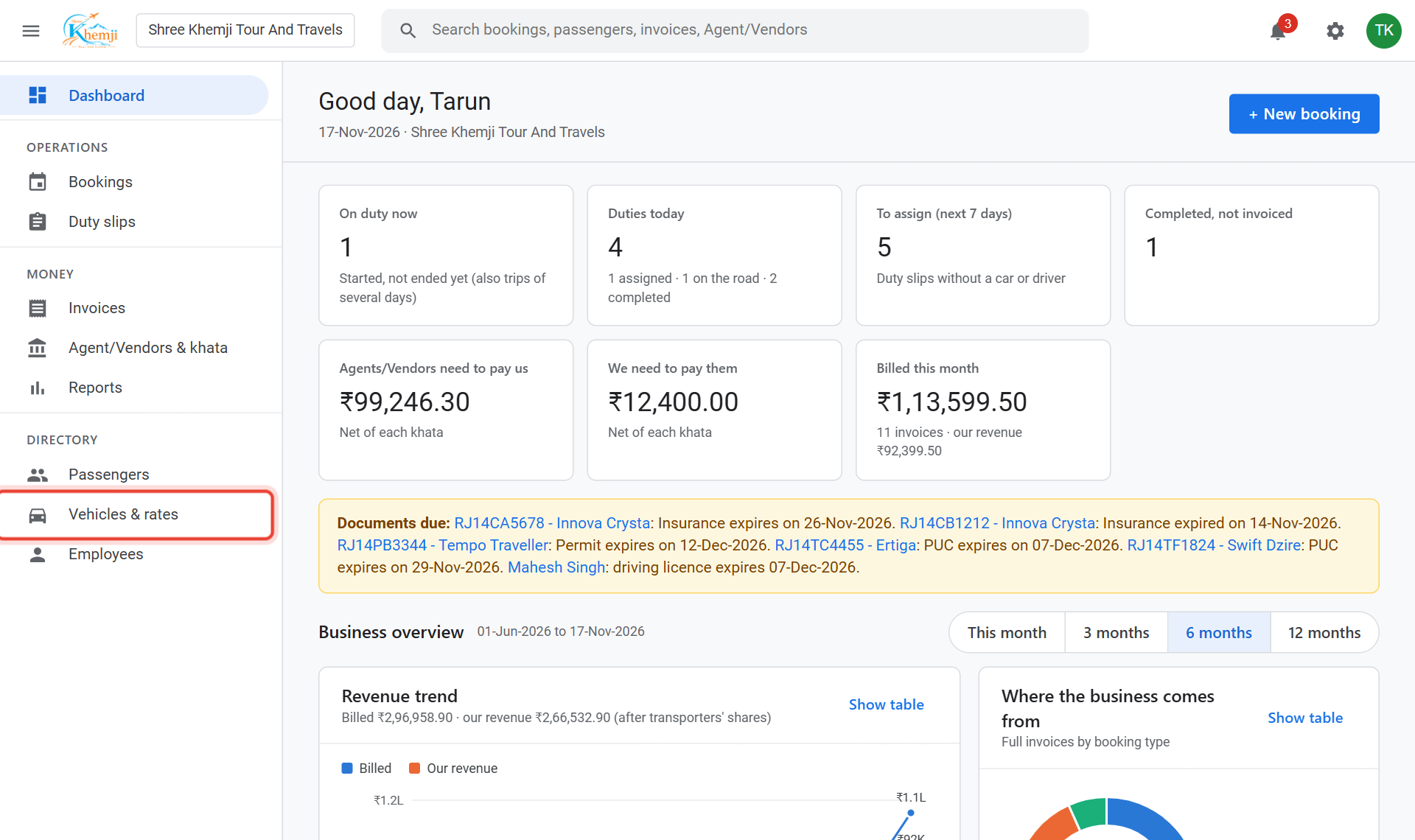
On the left menu, click Vehicles & rates.
- 2
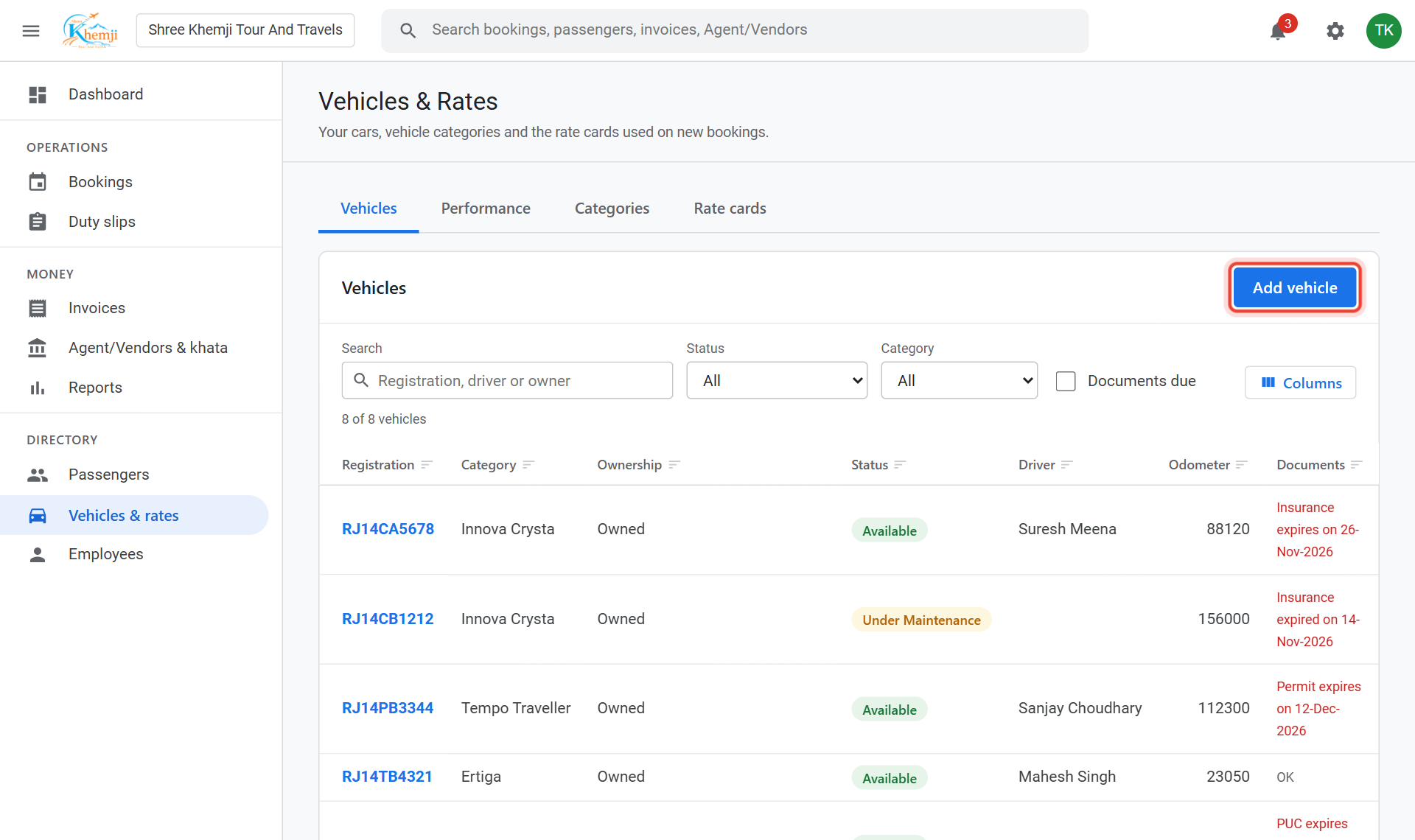
Click Add vehicle.
- 3
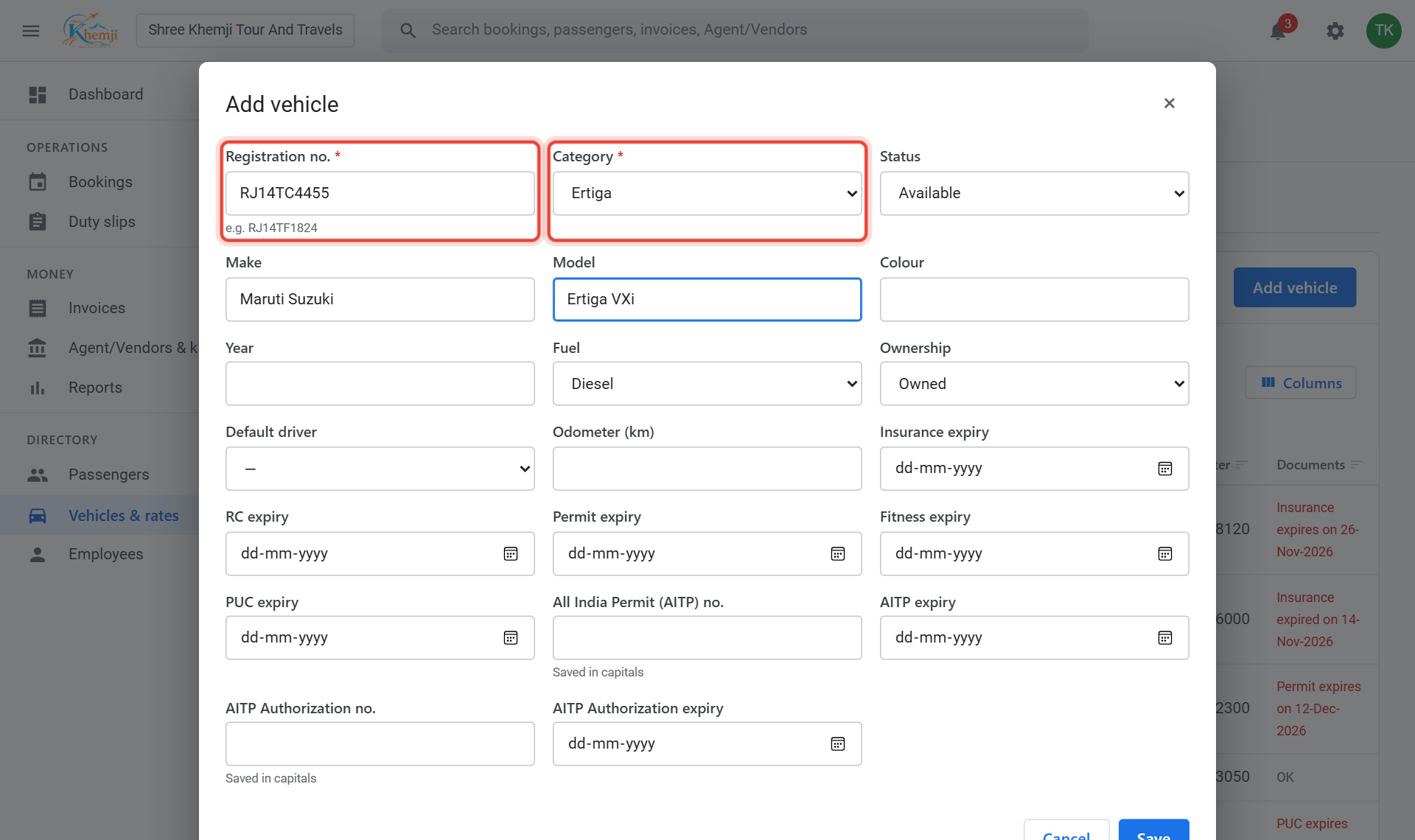
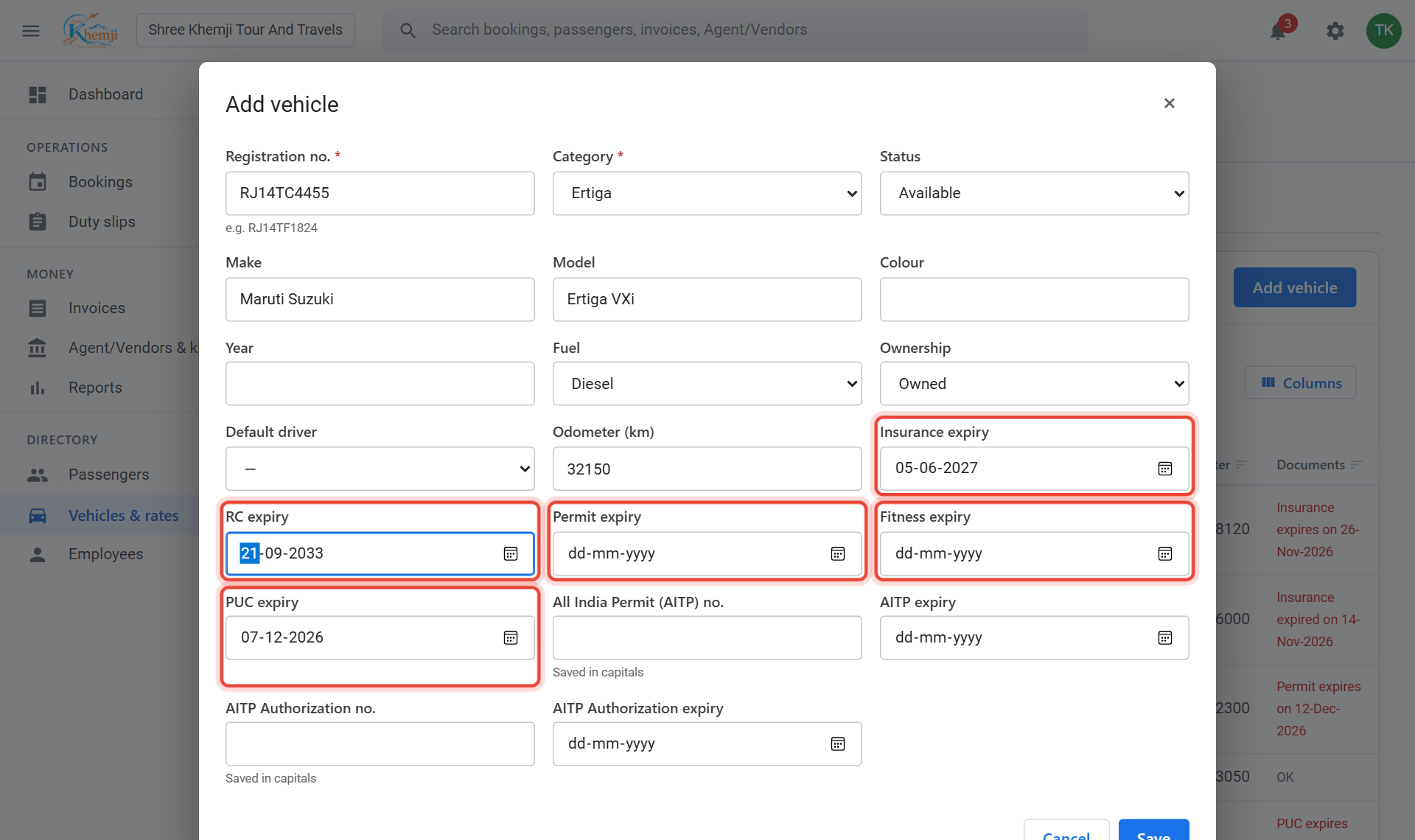
Type the Registration no. (e.g. RJ14TC4455) and choose the Category (car type). Add make, model, colour and year if you like.
- 4
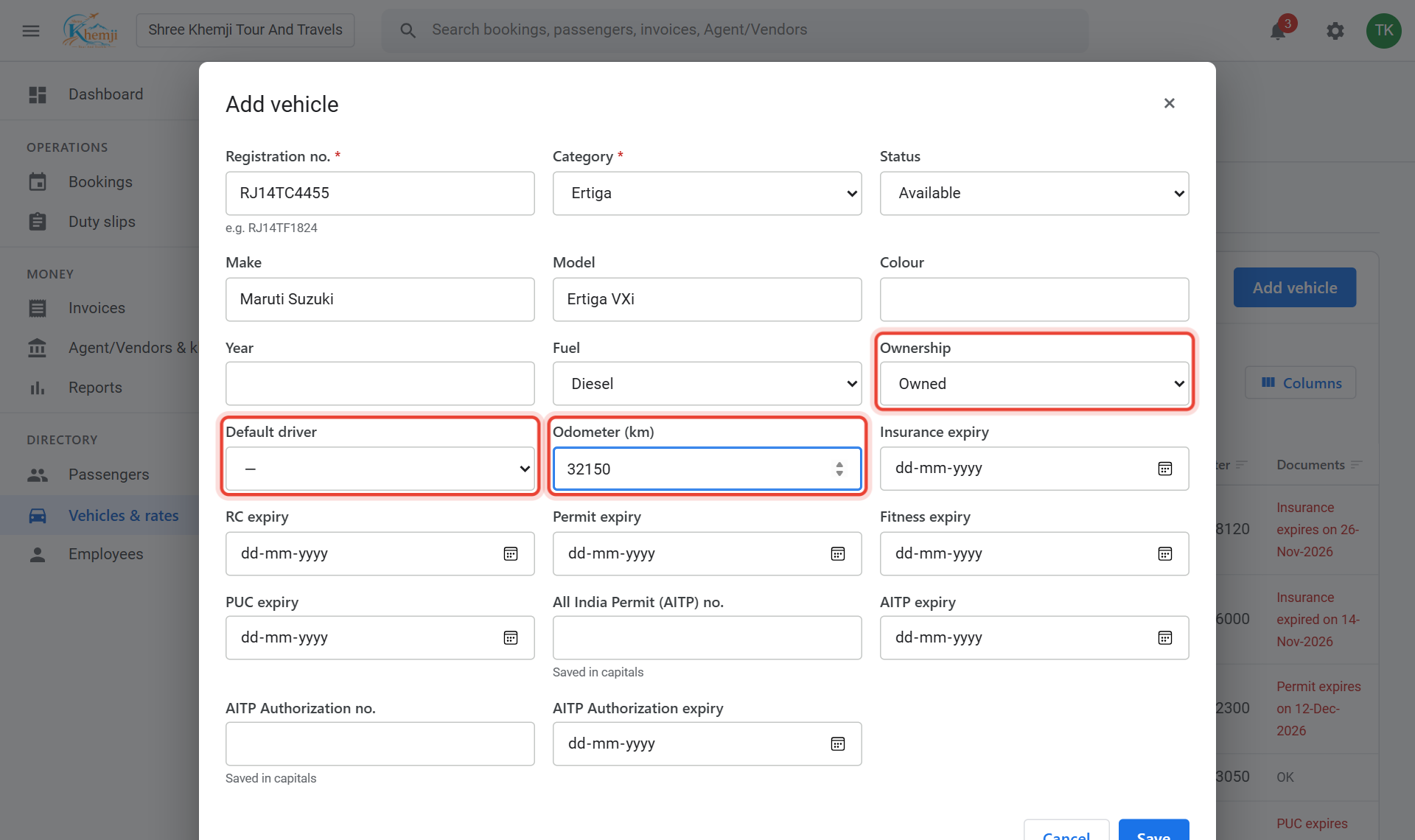
Ownership: your own car, or attached from another owner. Default driver is offered on new bookings. Type the current Odometer.
- 5
Type the expiry dates of the papers: Insurance, RC, Permit, Fitness, PUC.
- 6
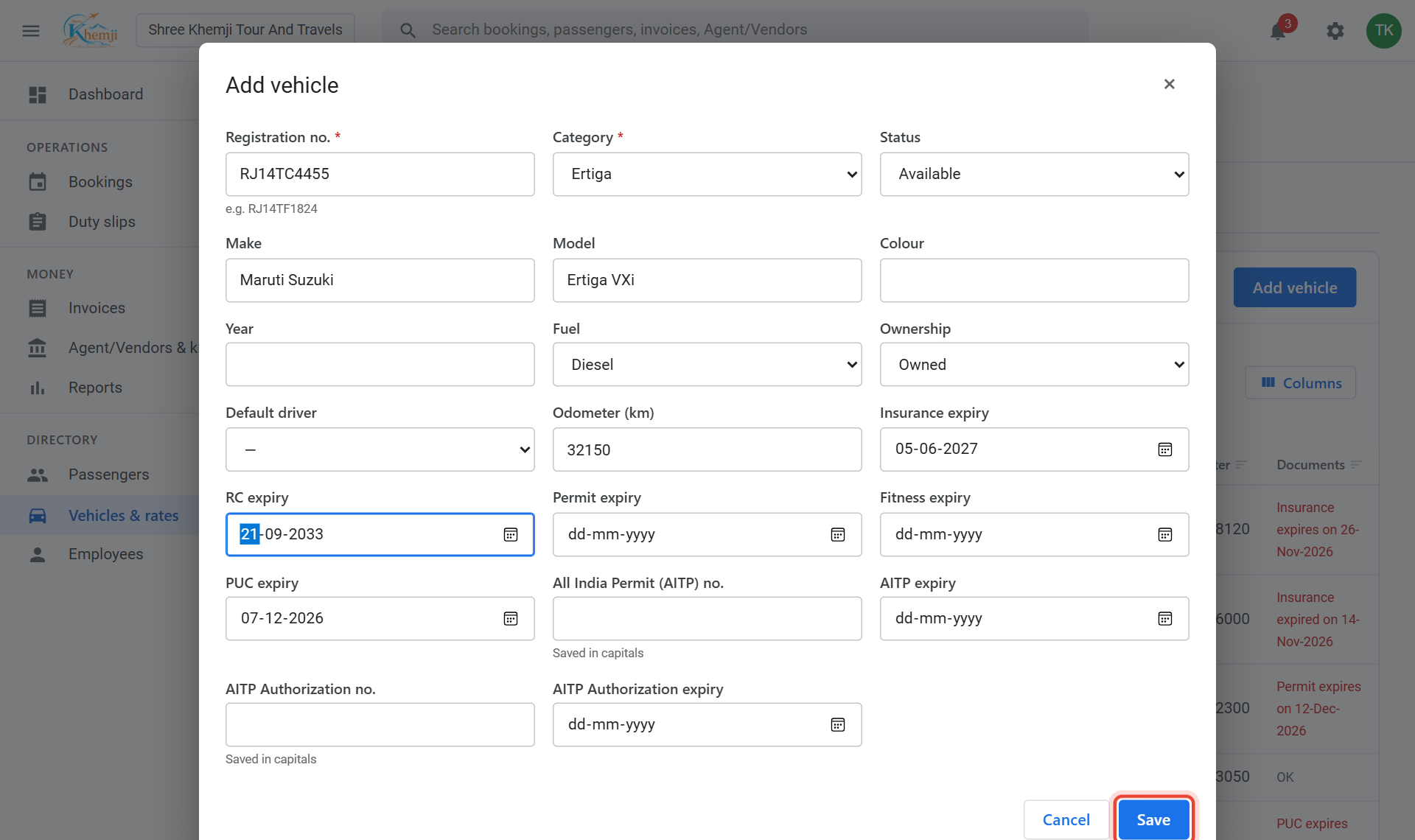
Click Save.
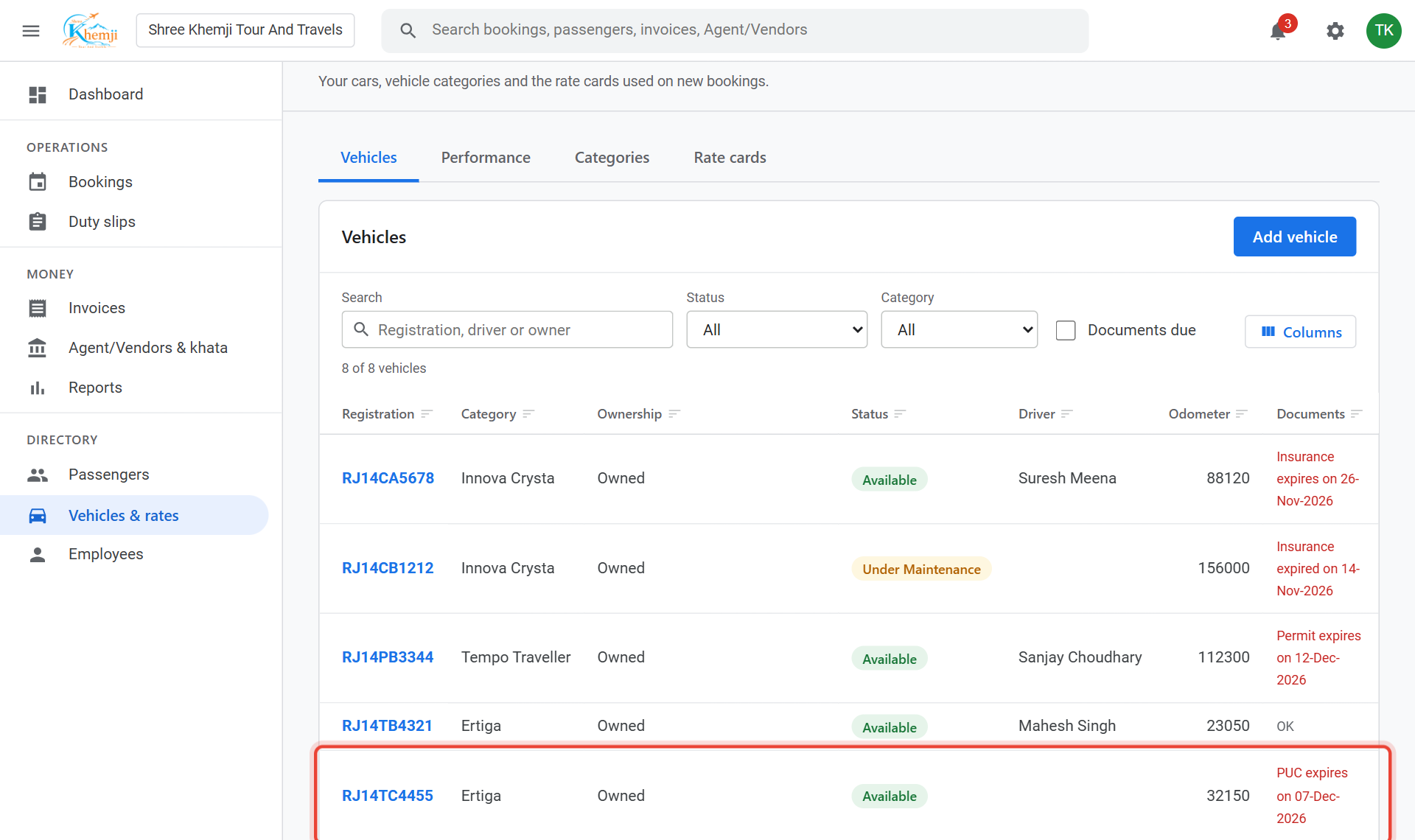
Done. The car is in the list and can be picked on bookings. The Documents column warns when a paper is due.
- 8
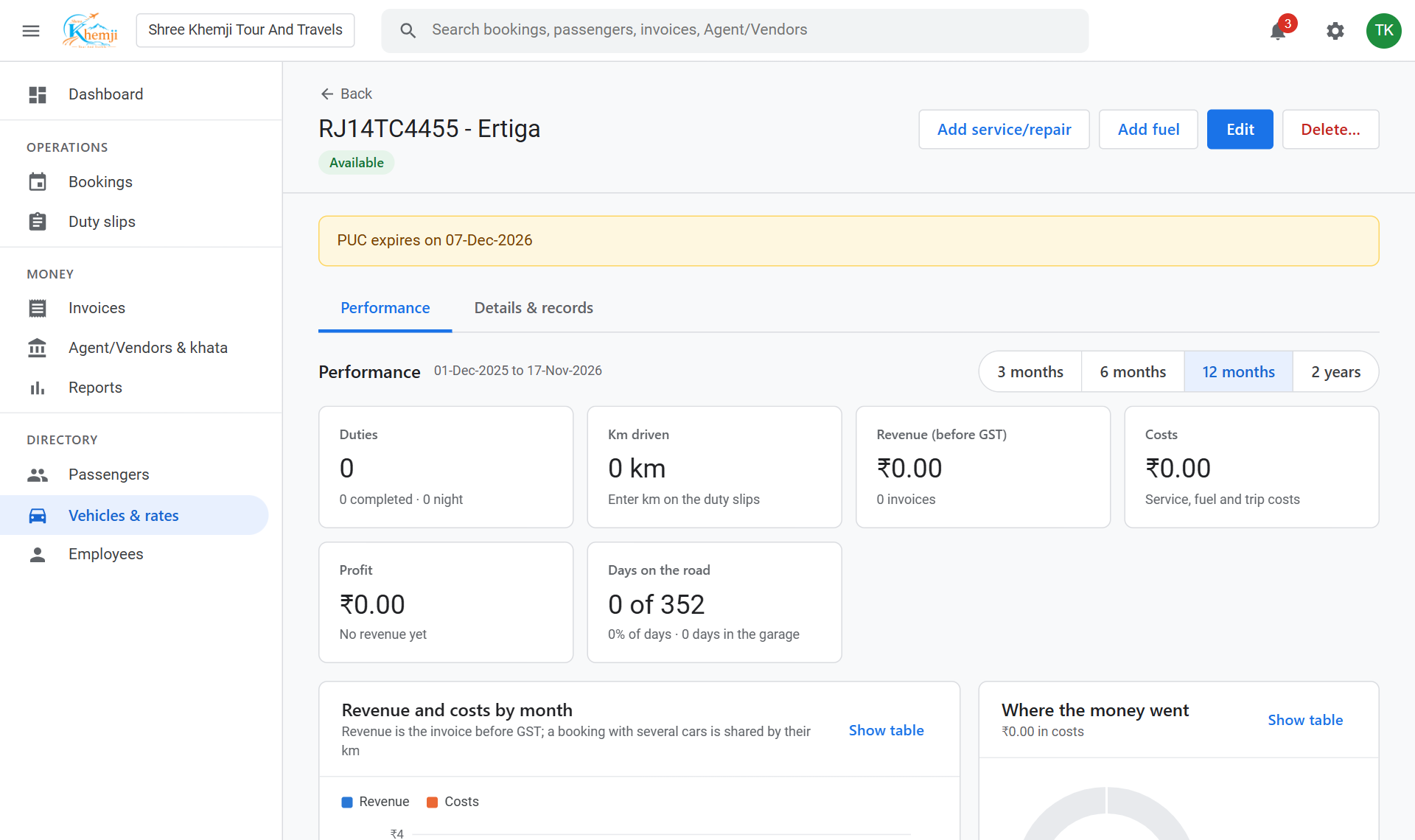
Click the car to see its trips, km per litre, and to add fuel fills and service costs.
Sold the car or off the road? Set Status = Inactive: it disappears from the pickers and its reminders stop.
Did this help?
Stuck on a step? We help on call and WhatsApp, in Hindi and English.