
Get your own booking link
Your company gets one link, like your-name.travel-manager.sfxsupport.com. Customers send trip requests from it on their phone; nothing is booked until you accept.
OwnerWebsiteAbout 2 min4 steps
- 1
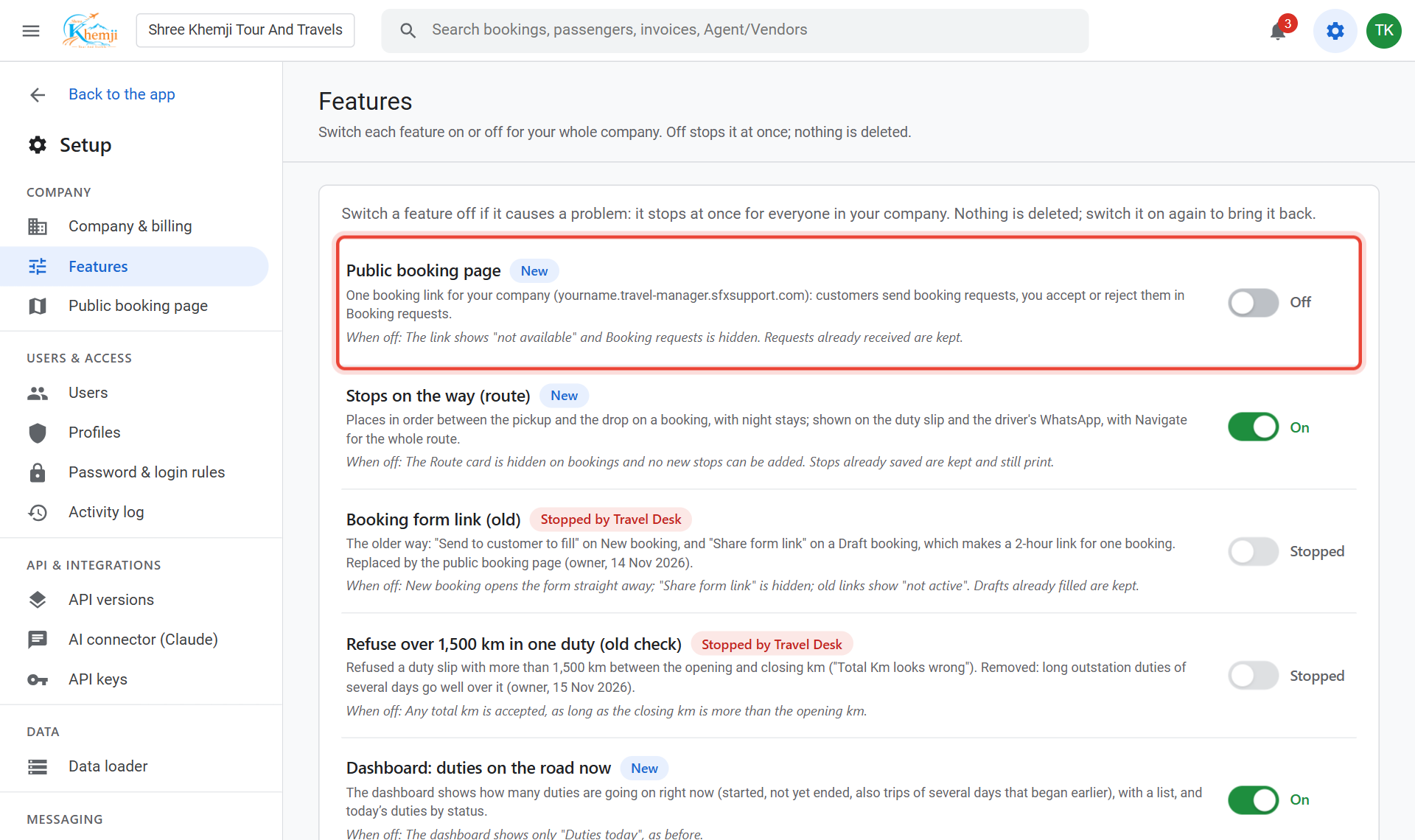
Go to Setup › Features and switch on Public booking page.
- 2
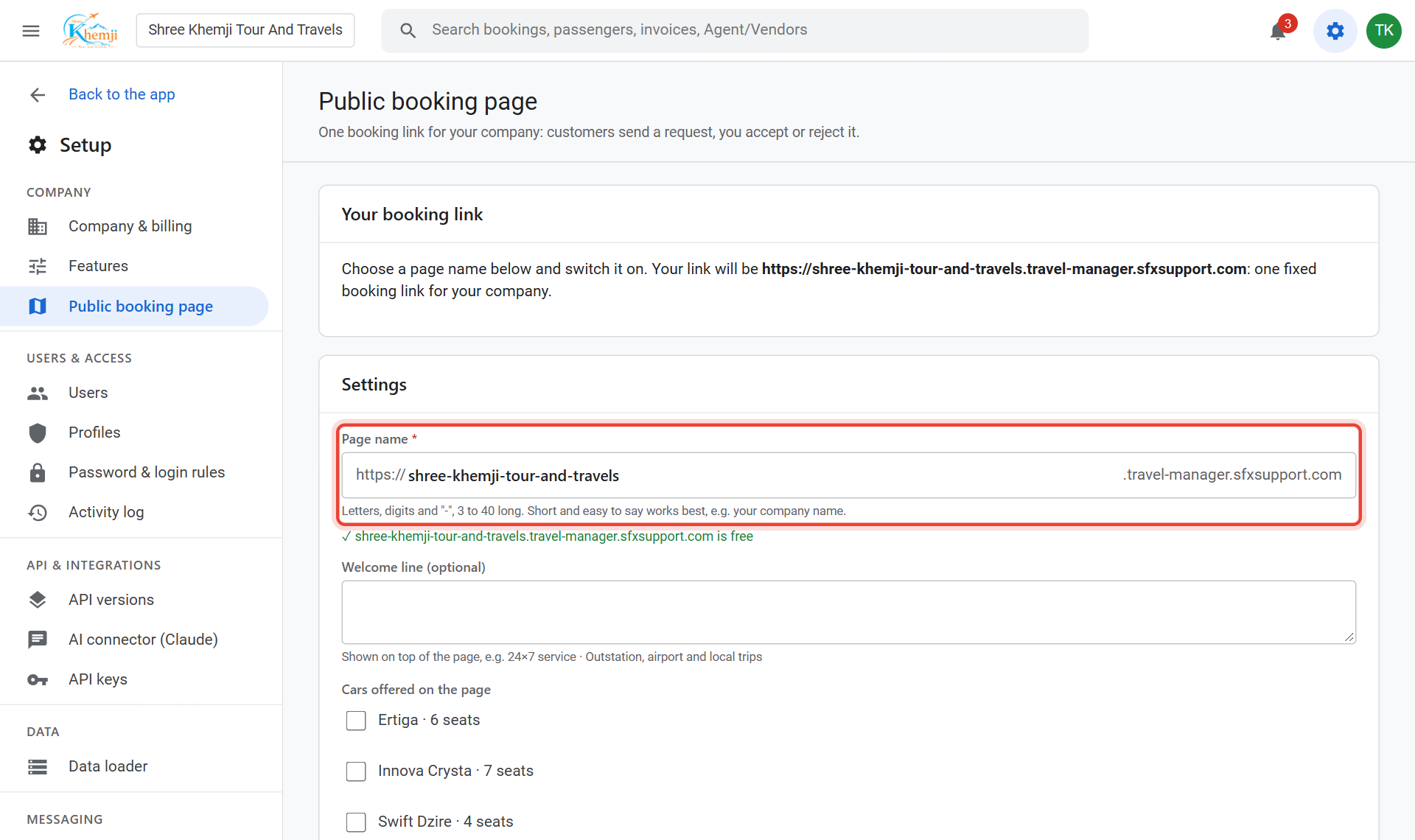
Open Setup › Public booking page. Choose a short Page name, for example your company name. It tells you if the name is free.
- 3
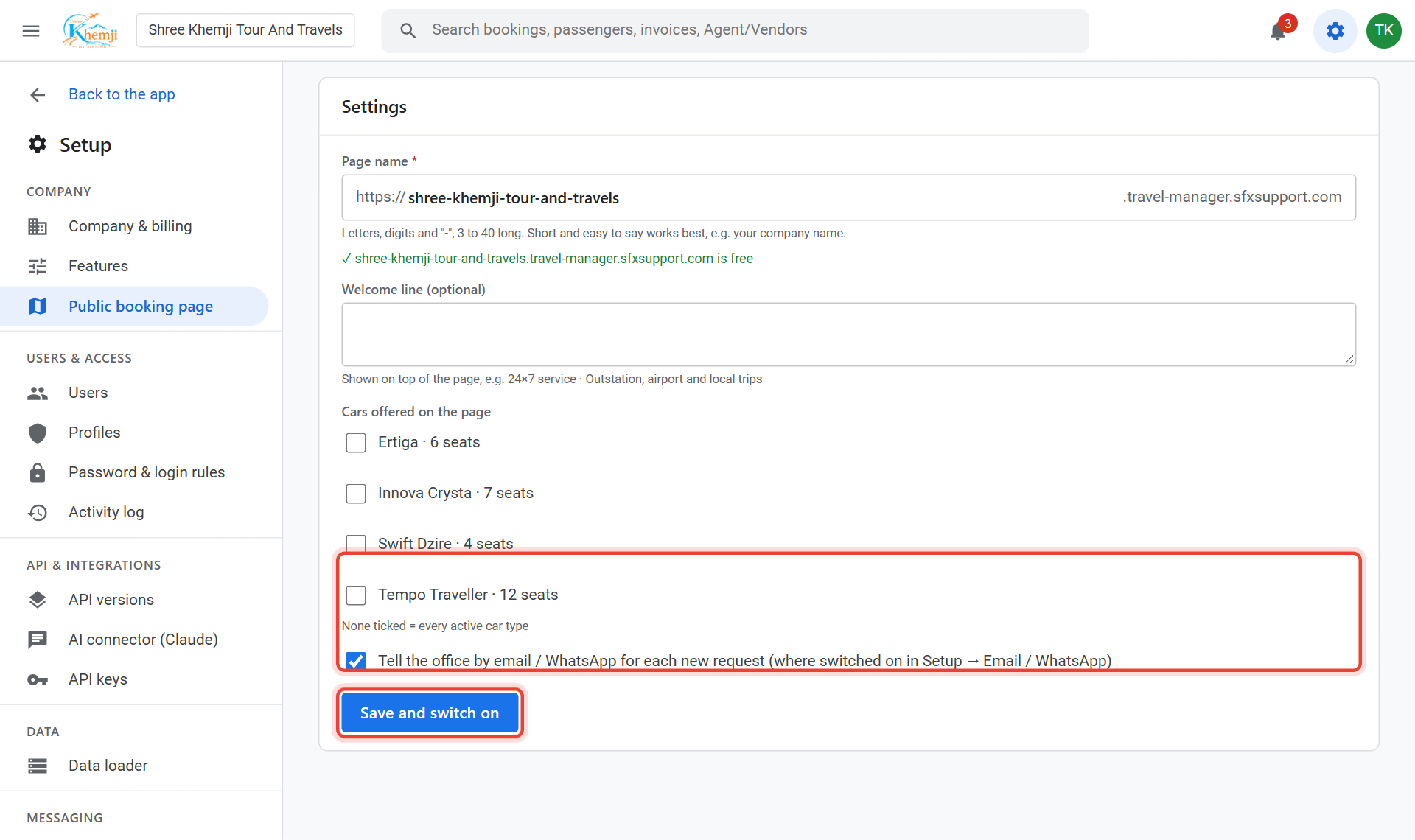
Optional: a Welcome line and which cars to offer (none ticked = all). Then click Save and switch on.
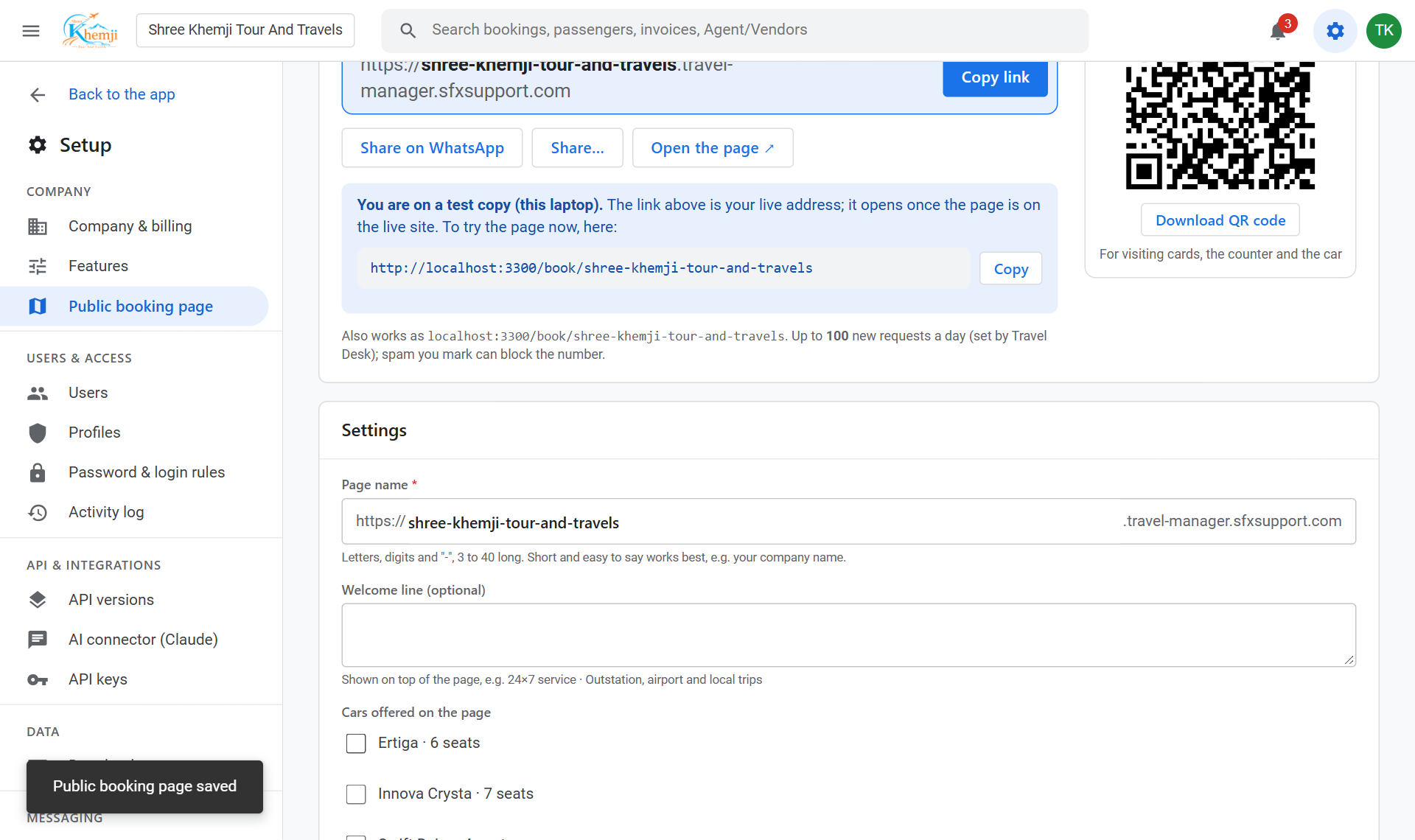
Done. Copy your link or download the QR code from this page. Share it on WhatsApp, Instagram, Google, or print it on your visiting card.
Did this help?
Stuck on a step? We help on call and WhatsApp, in Hindi and English.