
Give a car and driver to a trip
Every car on a booking has a duty slip. Put the car and the driver on it, then send the driver the trip on WhatsApp.
- 1
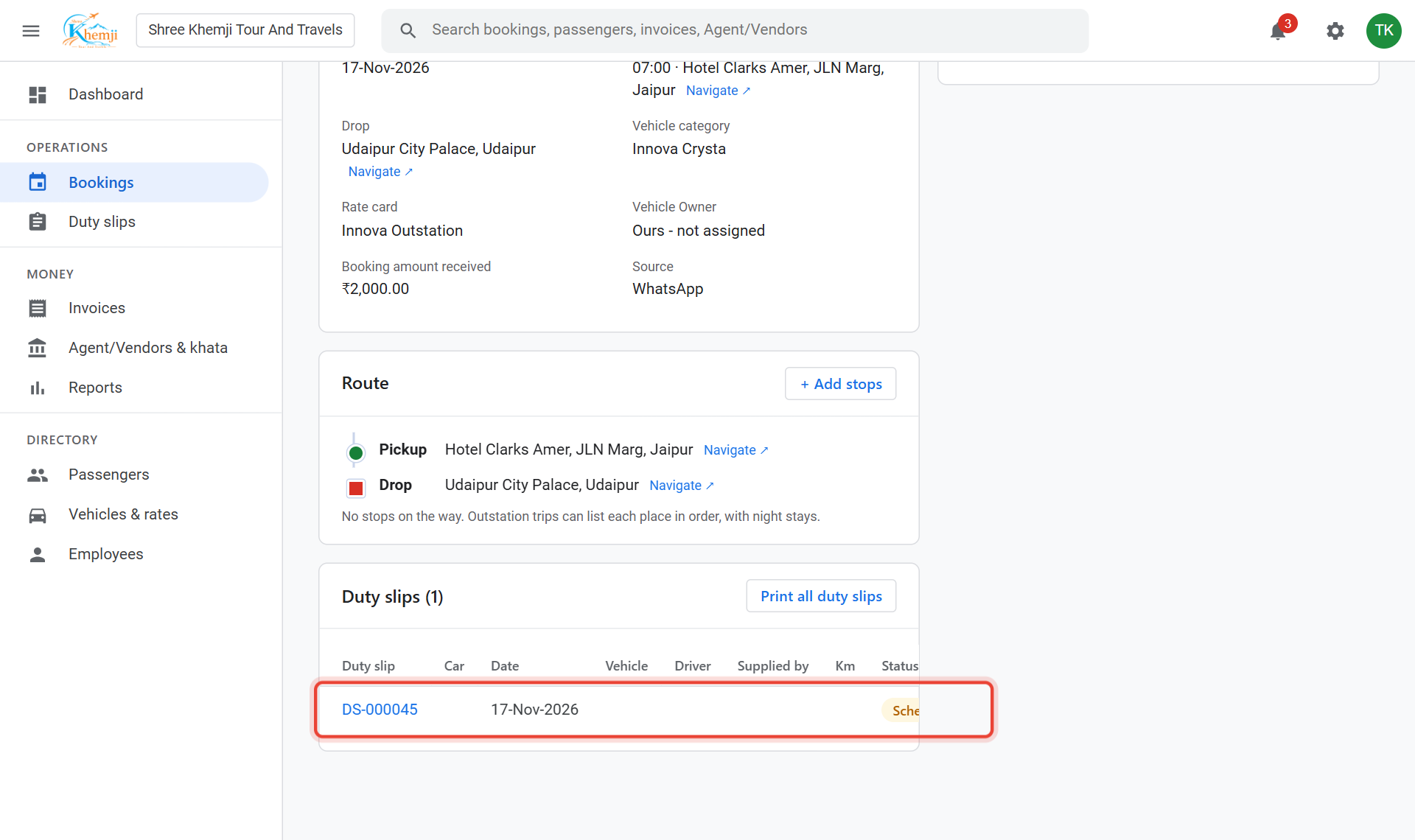
Open the booking. In the Duty slips box, click the duty slip (DS-…).
- 2
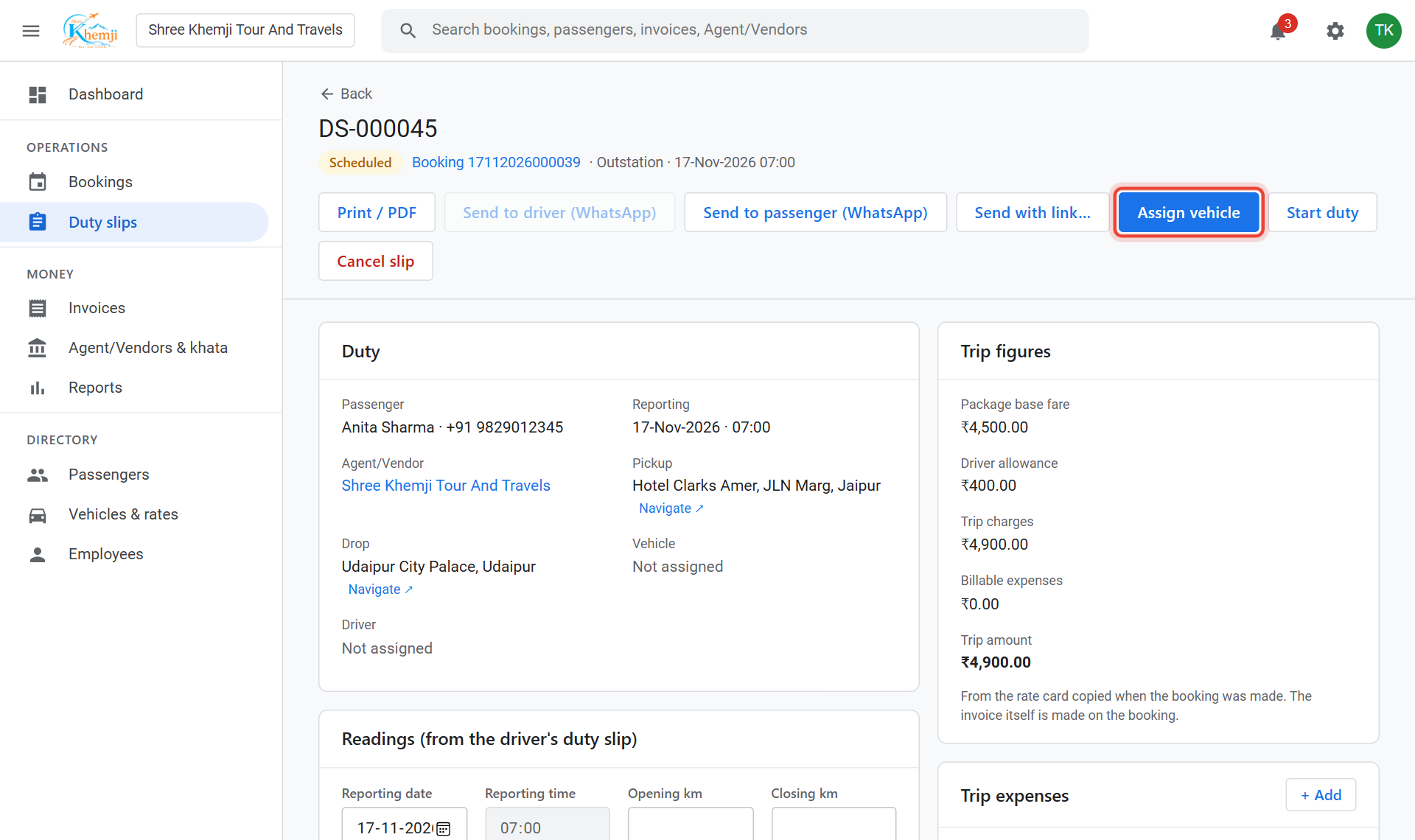
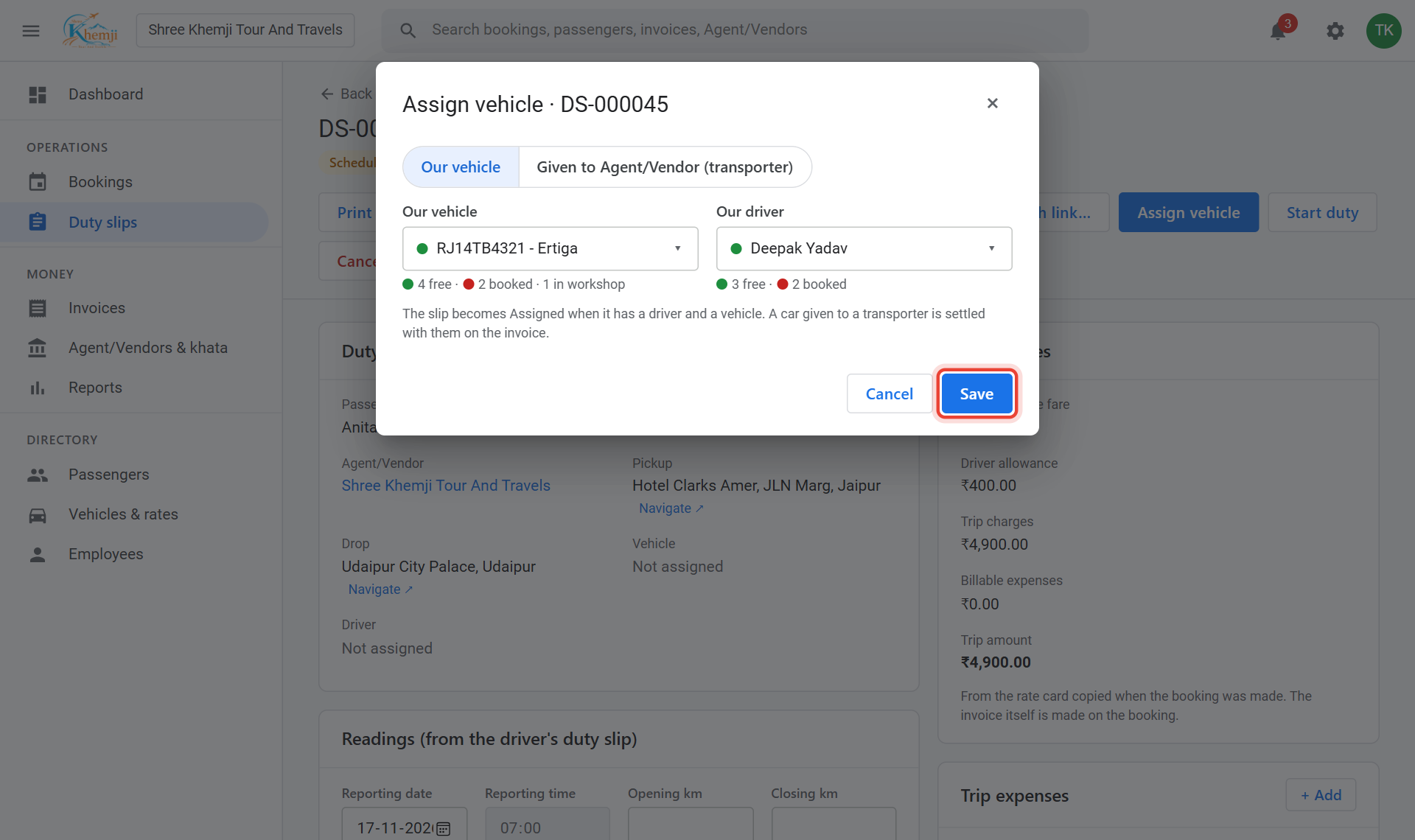
Click Assign vehicle.
- 3
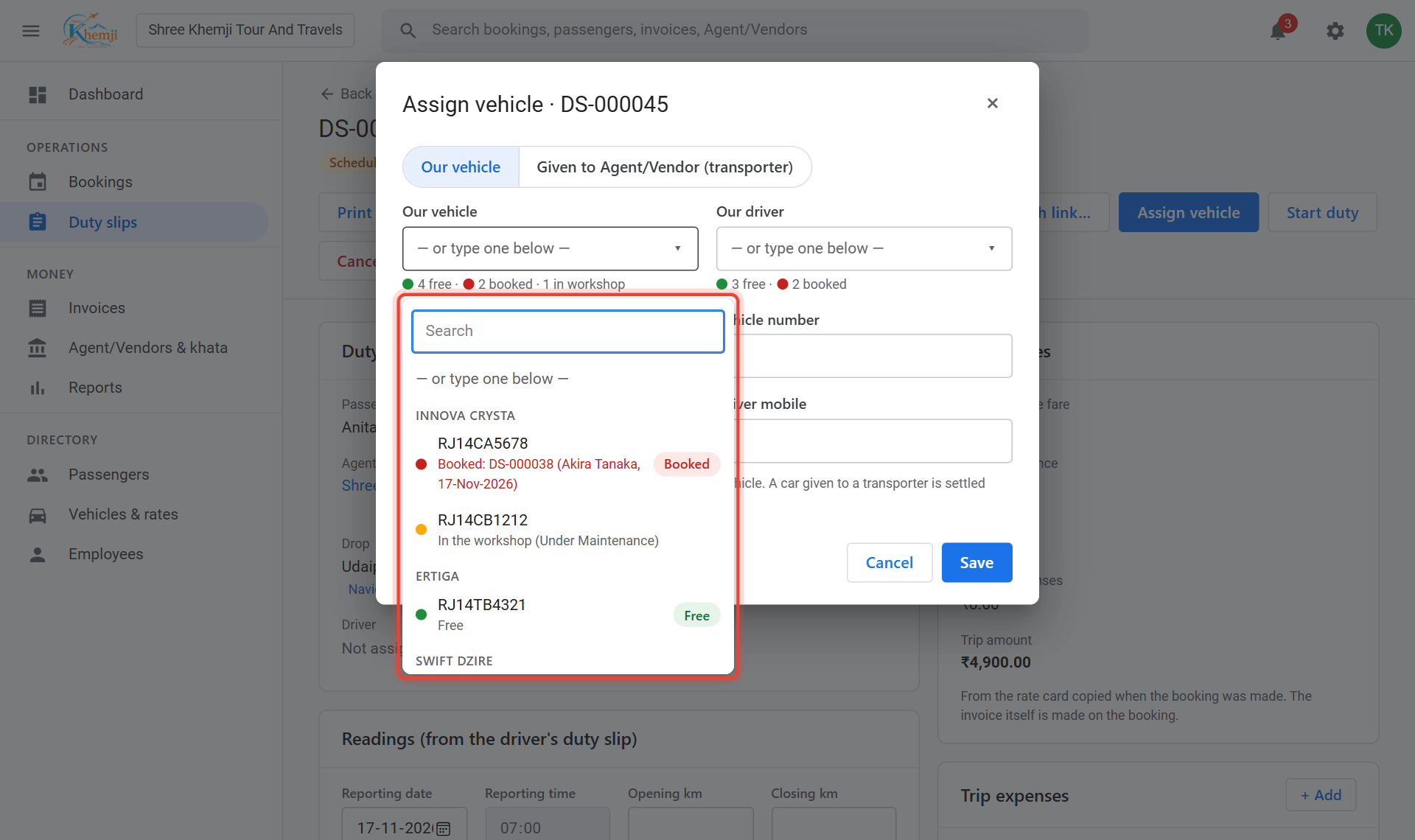
Pick Our vehicle. Free cars have a green dot; a car already on another trip shows Booked.
- 4
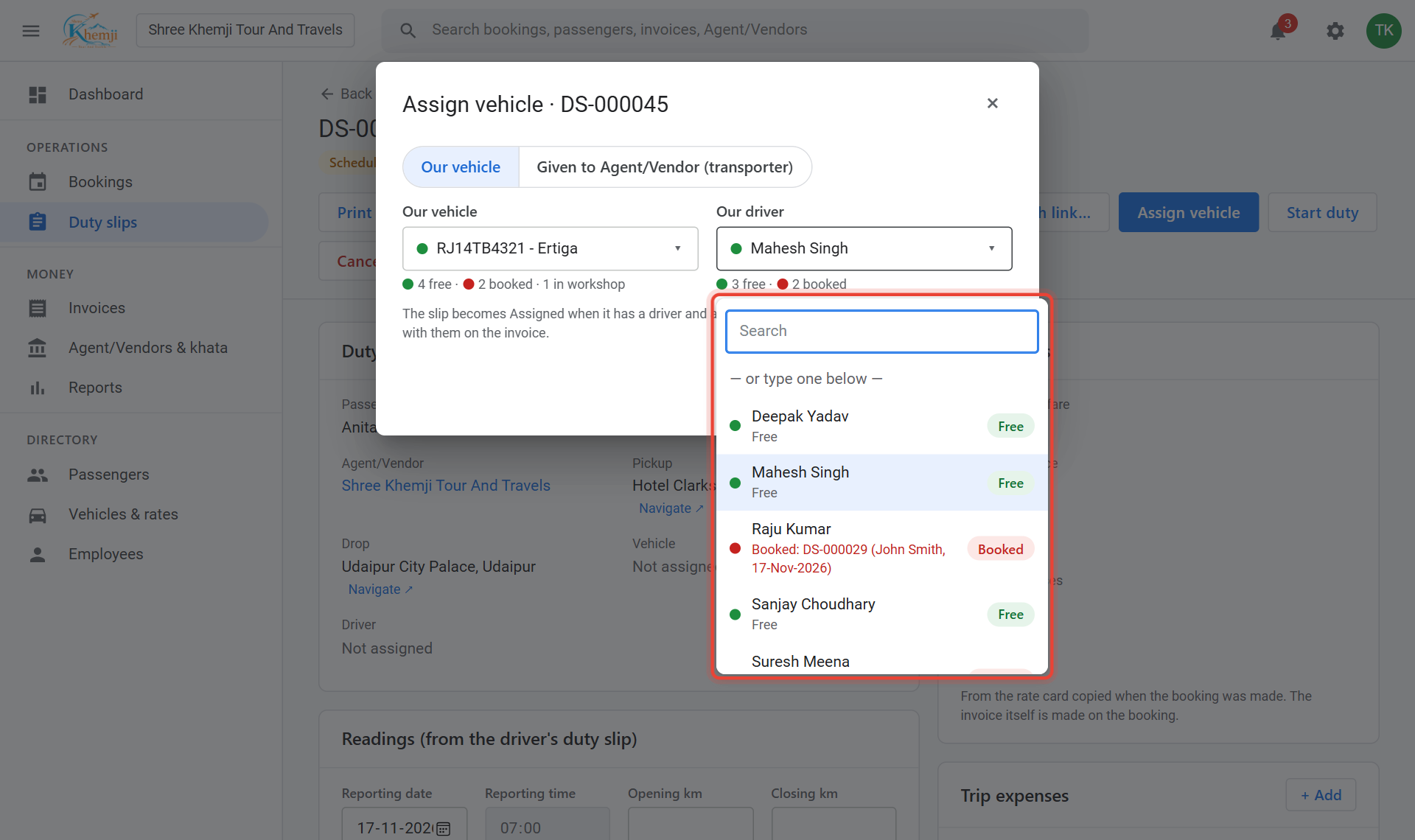
Pick Our driver the same way. Drivers on leave are shown in amber.
- 5
Click Save.
- 6
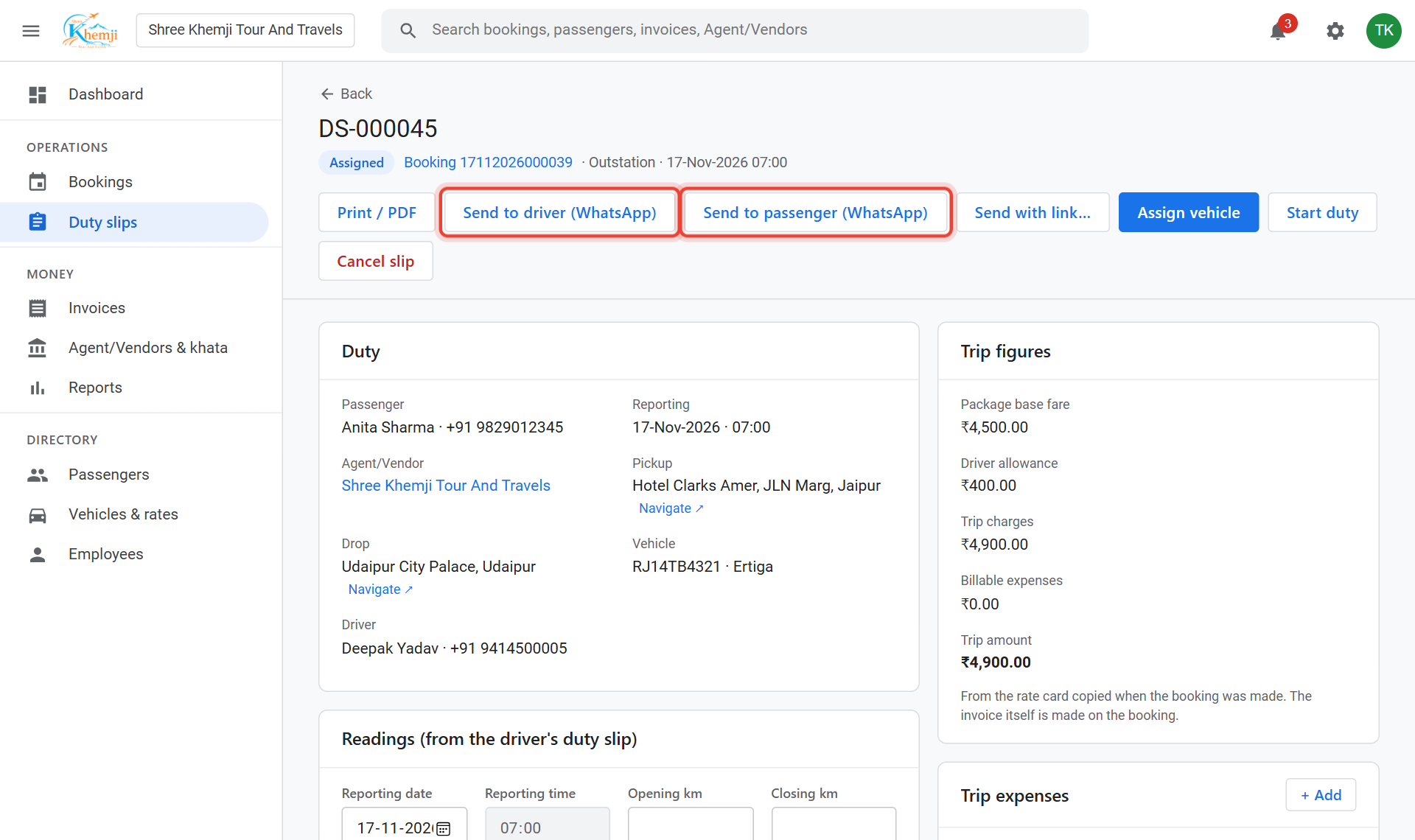
The duty slip is now Assigned. Click Send to driver (WhatsApp): WhatsApp opens with the trip details typed; just press send. Send to passenger does the same for the customer.
Using a transporter's car? In the same box choose Given to Agent/Vendor (transporter) and type their car number, driver and mobile.
The driver now sees this trip in the phone app under My duties. See Driver: do a trip on the phone.
Did this help?
Stuck on a step? We help on call and WhatsApp, in Hindi and English.