
See who owes you, and record a payment
Every agent, transporter and client has a khata. Record money received or paid; the oldest bills are cleared first.
- 1
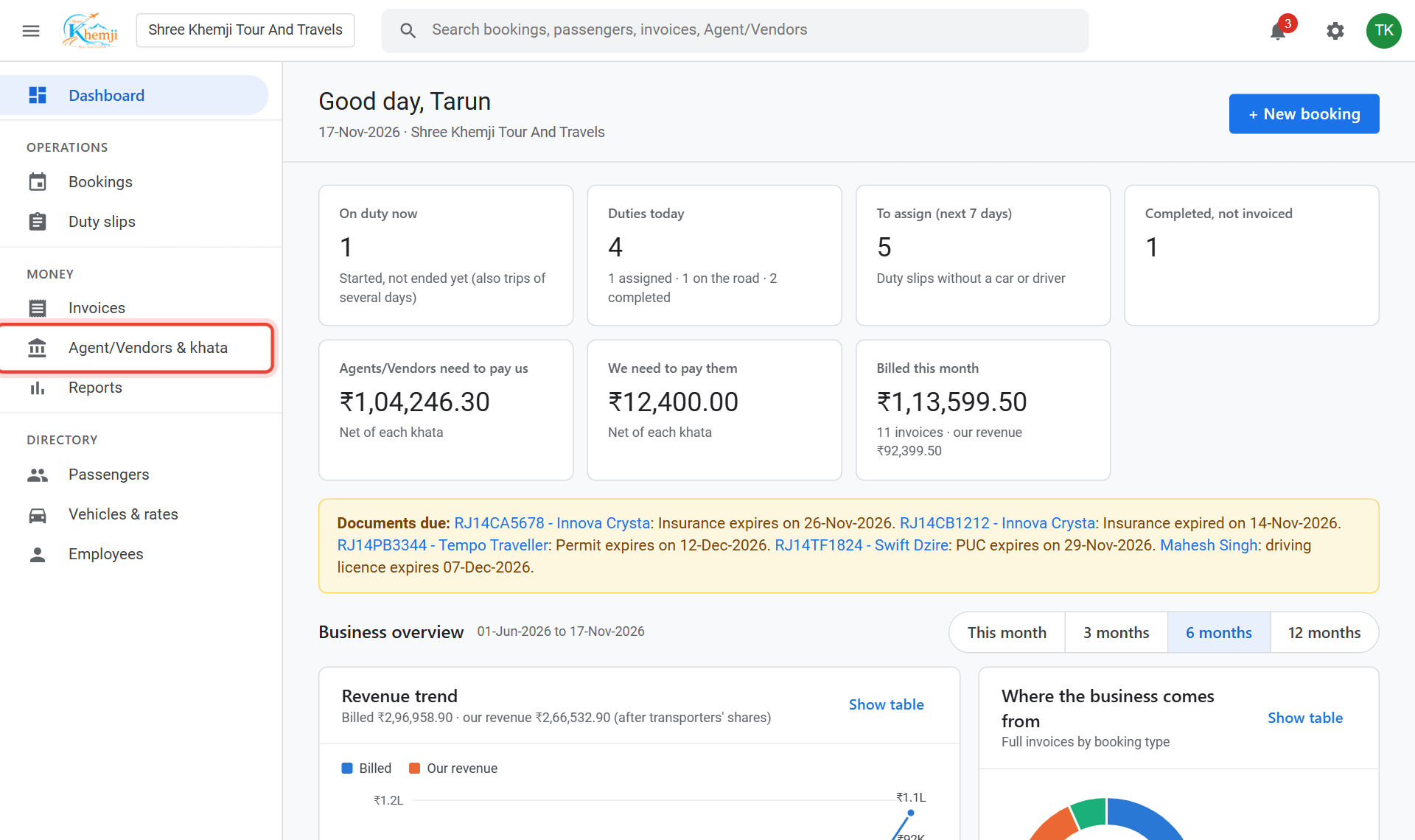
On the left menu, click Agent/Vendors & khata.
- 2
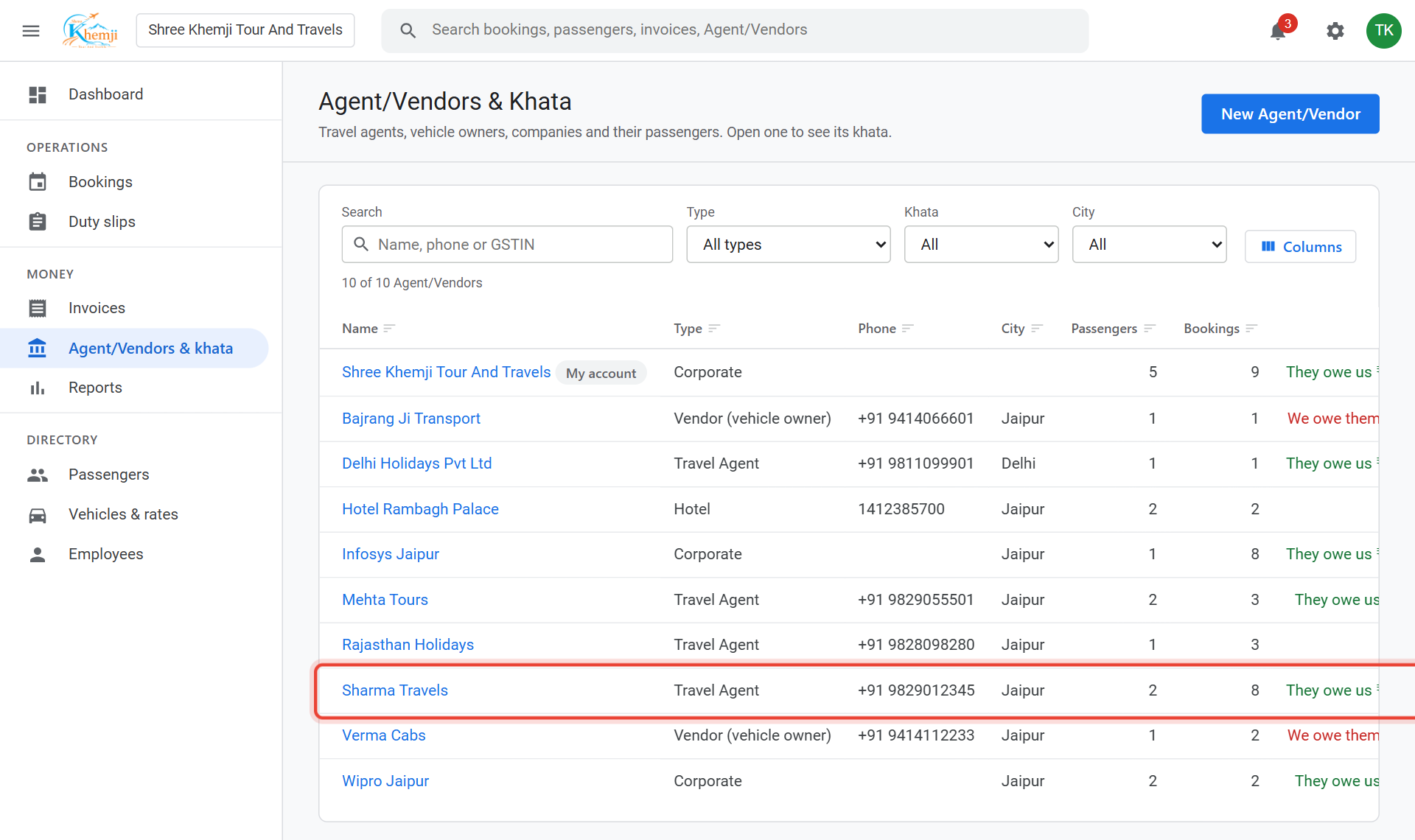
The Khata column shows each balance: they owe us or we owe them. Click a name to open it.
- 3
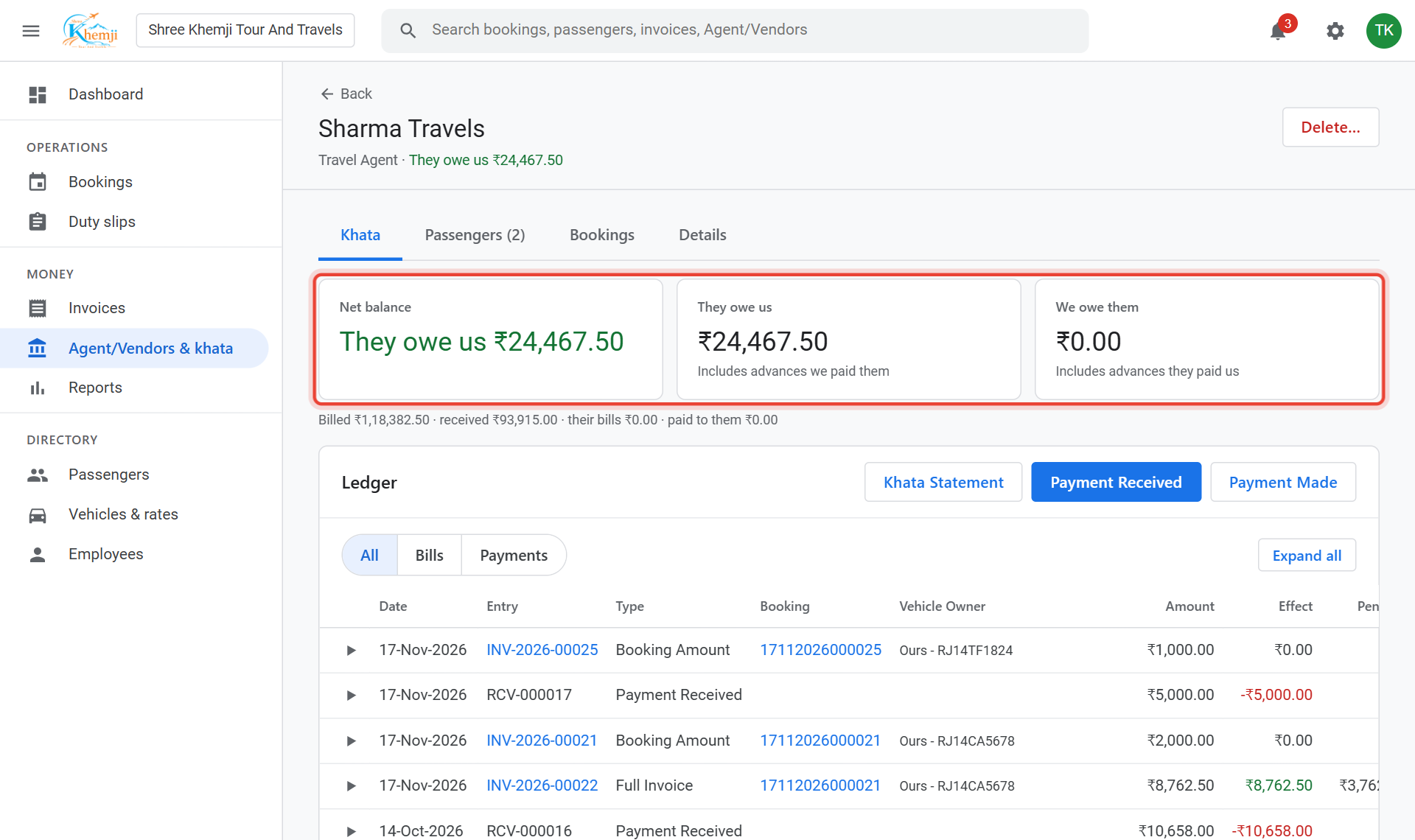
The top shows the Net balance. Below, the Ledger lists every invoice and payment with the balance after it.
- 4
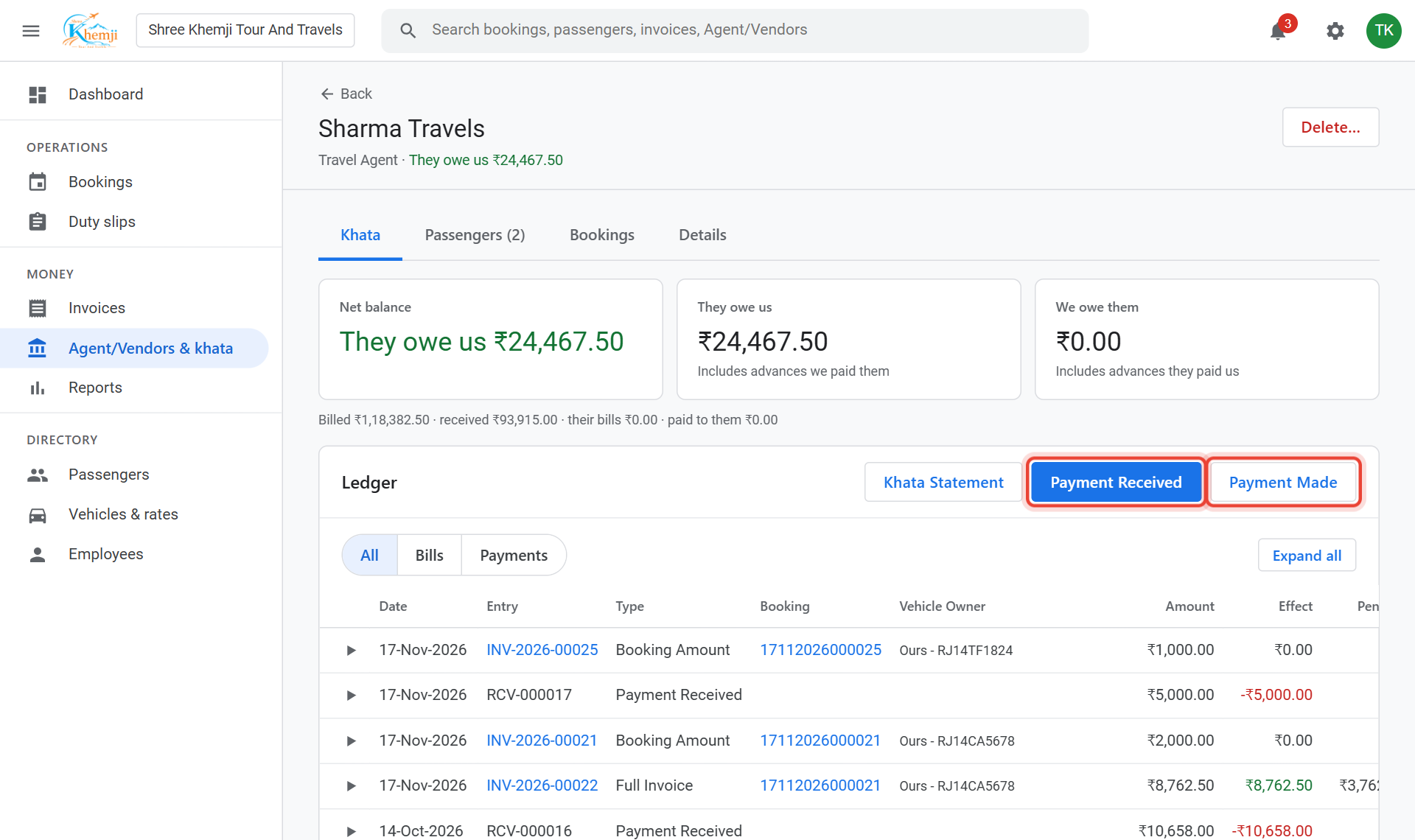
When they pay you, click Payment Received. (When you pay them, Payment Made.)
- 5
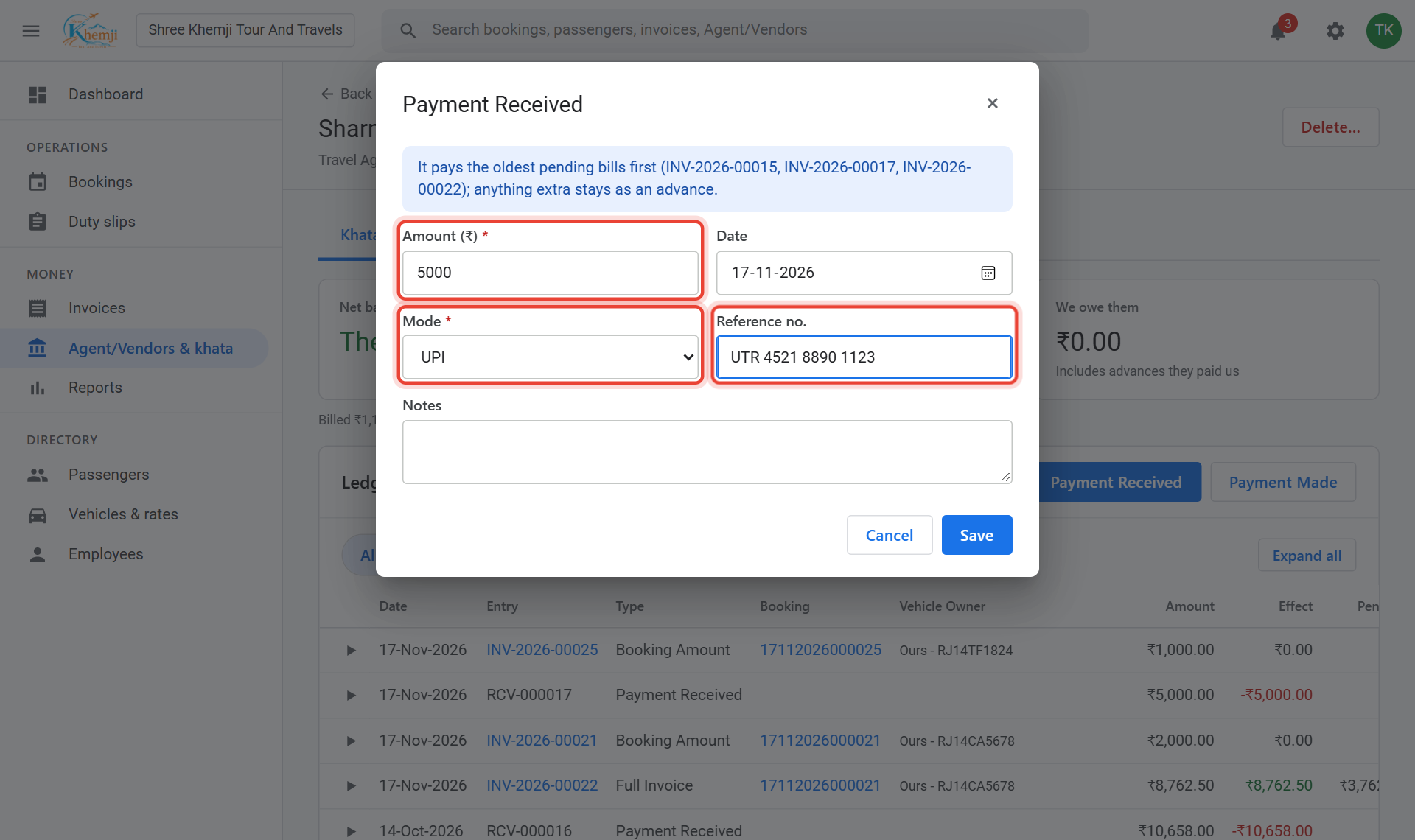
Type the Amount, the Mode (Cash, UPI, Bank, Cheque…) and the Reference no. (UTR or cheque no.).
- 6
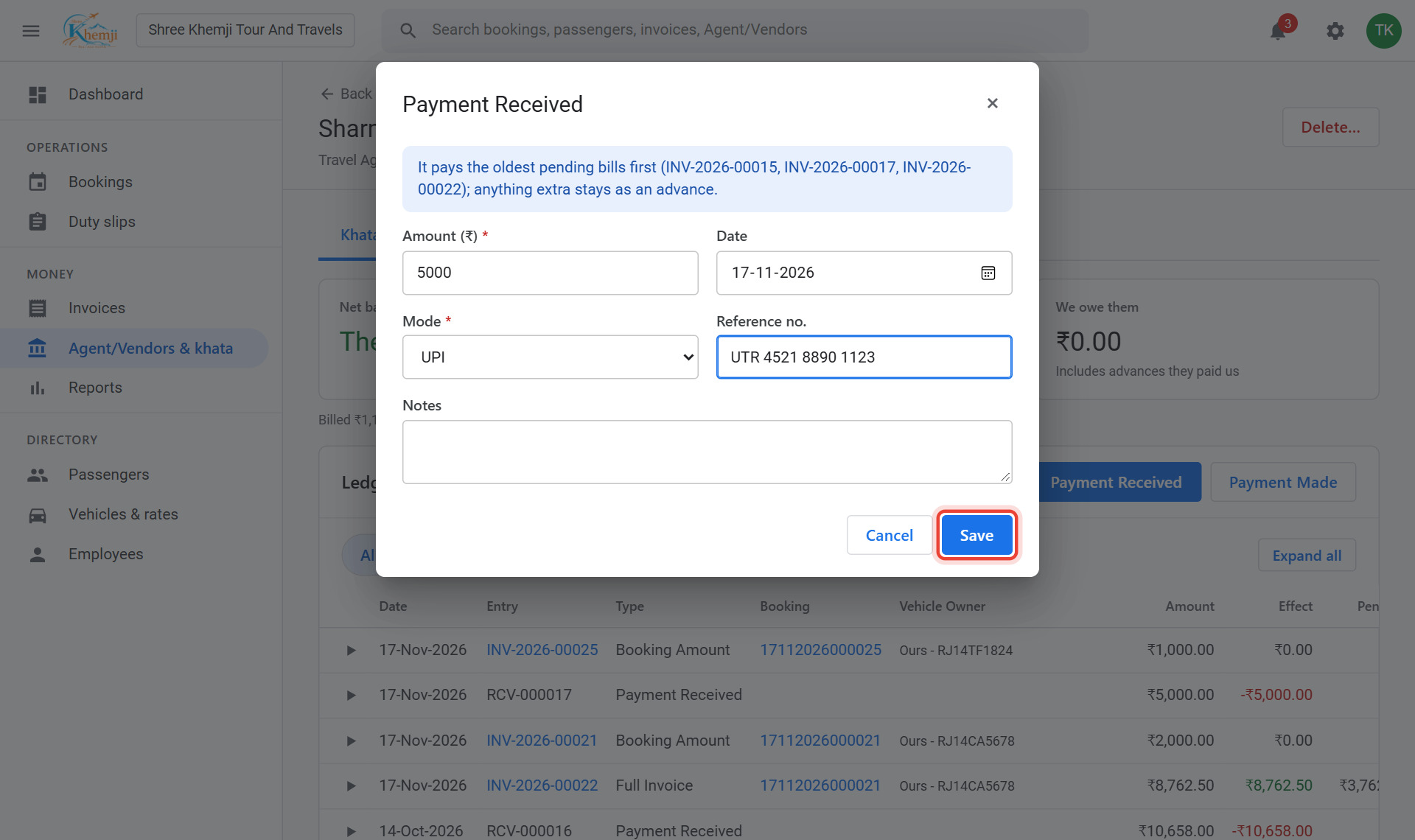
Click Save.
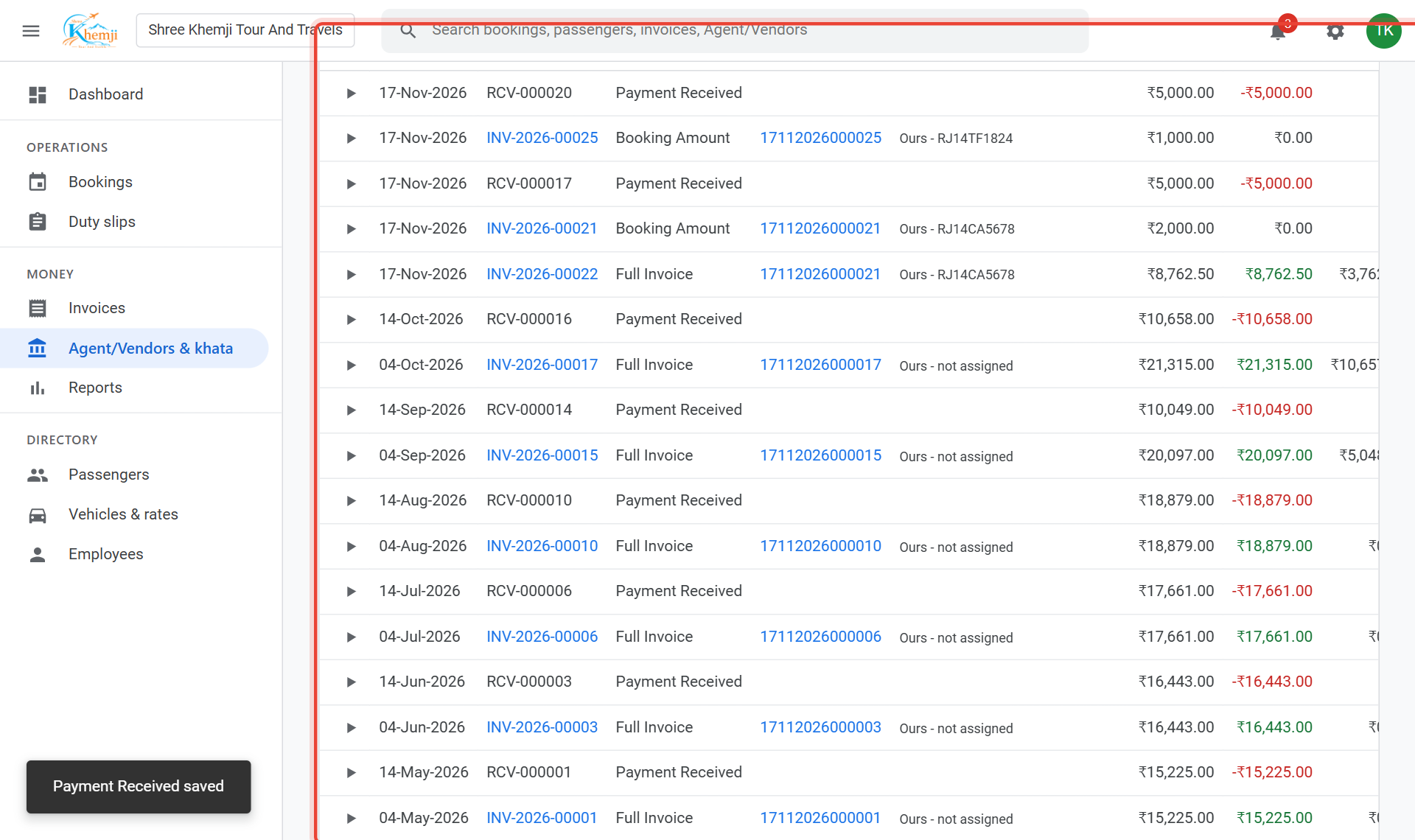
Done. The payment is in the ledger and the balance has gone down. It pays their oldest bills first; anything extra stays as an advance.
- 8
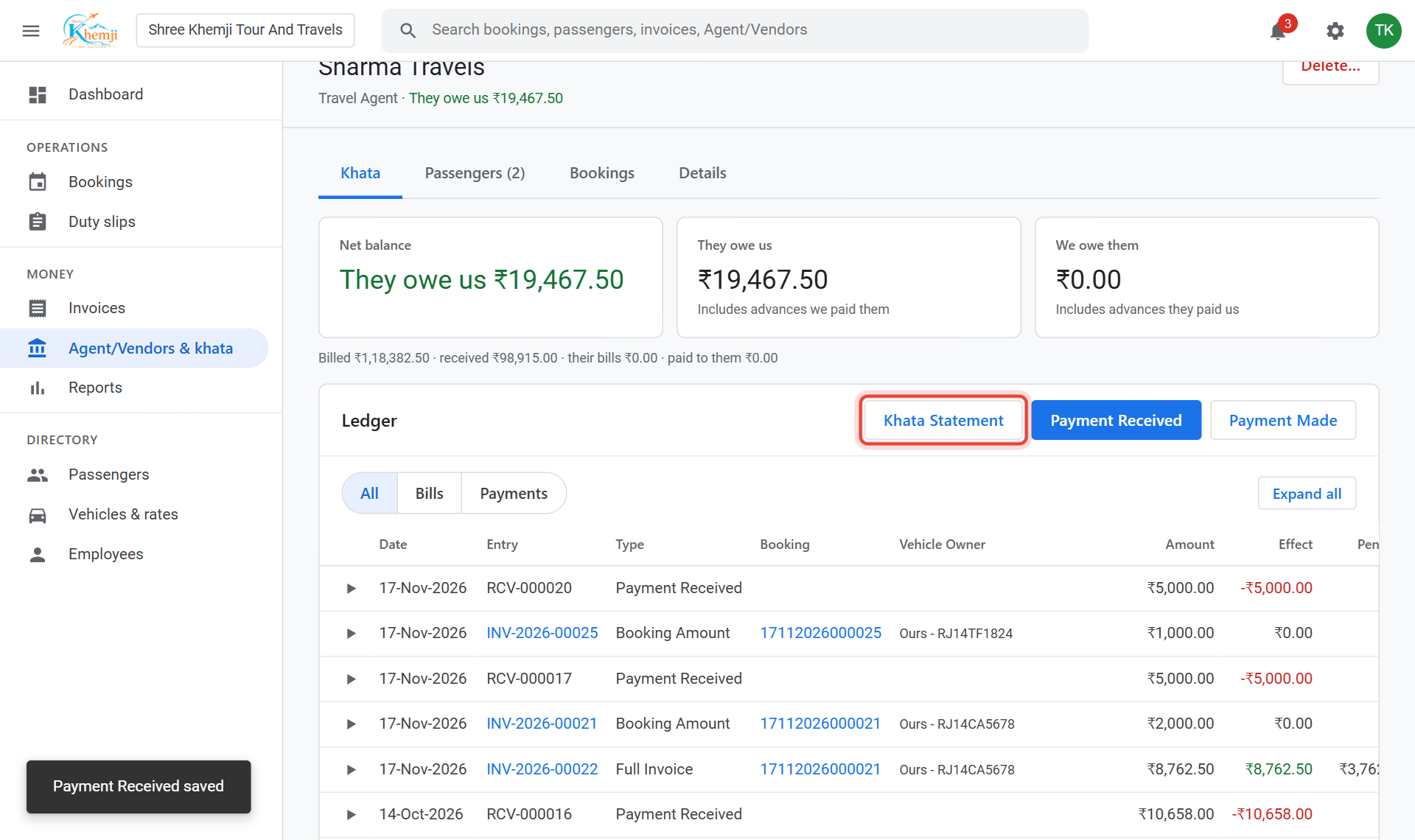
To send them their account, click Khata Statement, choose the period and Download PDF or Excel.
Did this help?
Stuck on a step? We help on call and WhatsApp, in Hindi and English.