
Make the invoice for a trip
Bill the trip with GST. The advance already paid is taken off by itself, and the khata updates at once.
- 1
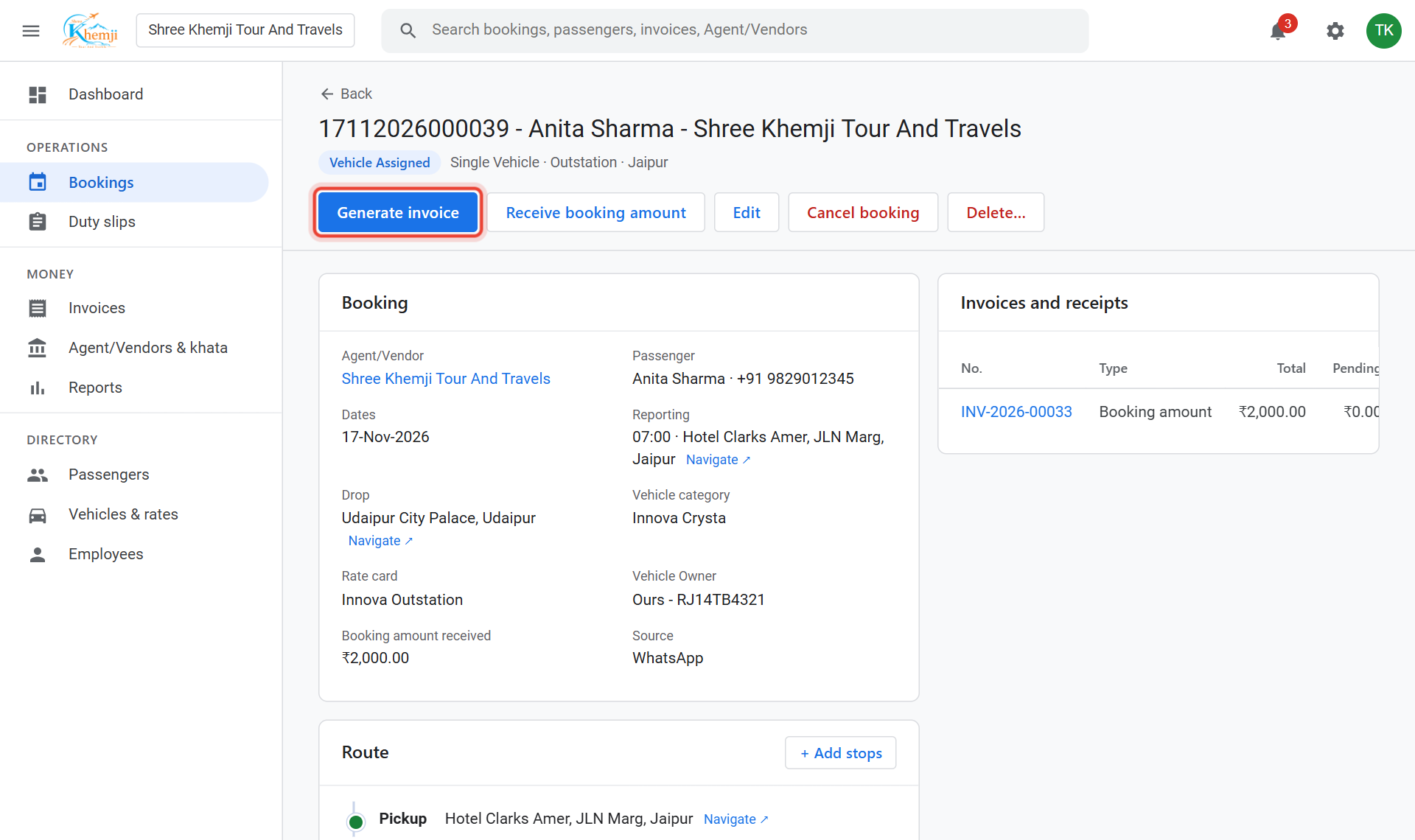
Open the booking and click Generate invoice.
- 2
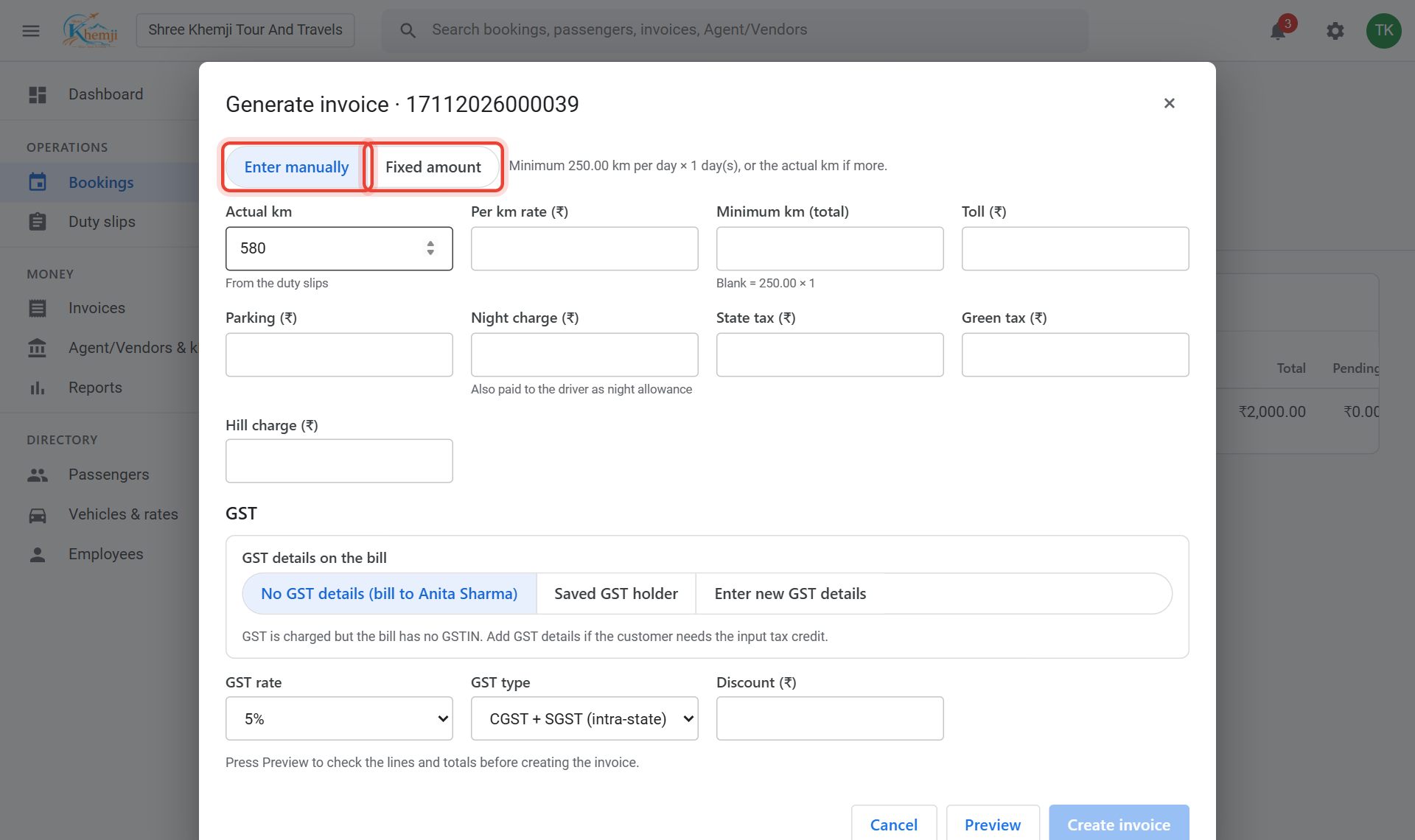
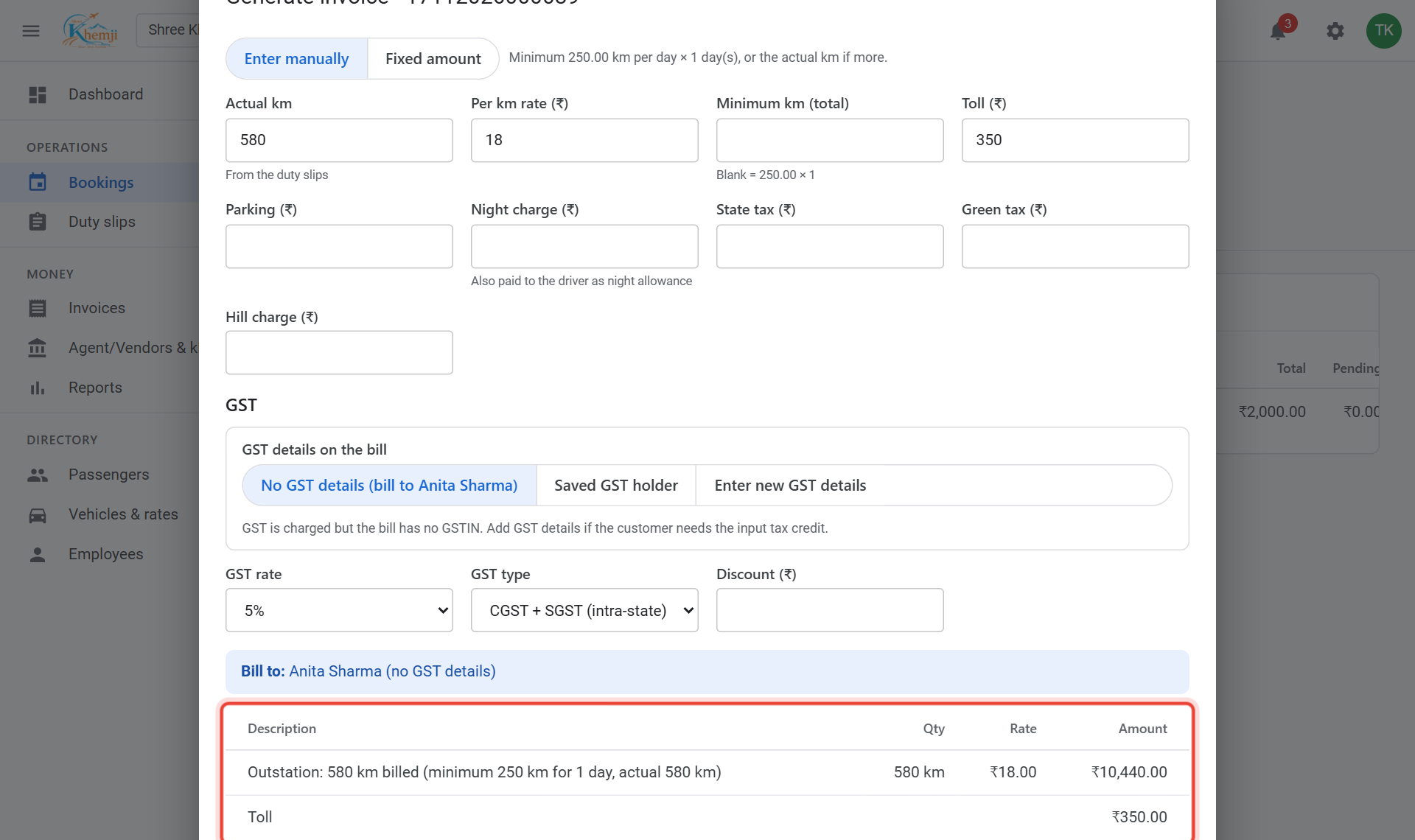
Choose how to bill: Enter manually (km, rate, toll…) or Fixed amount (one agreed price).
- 3
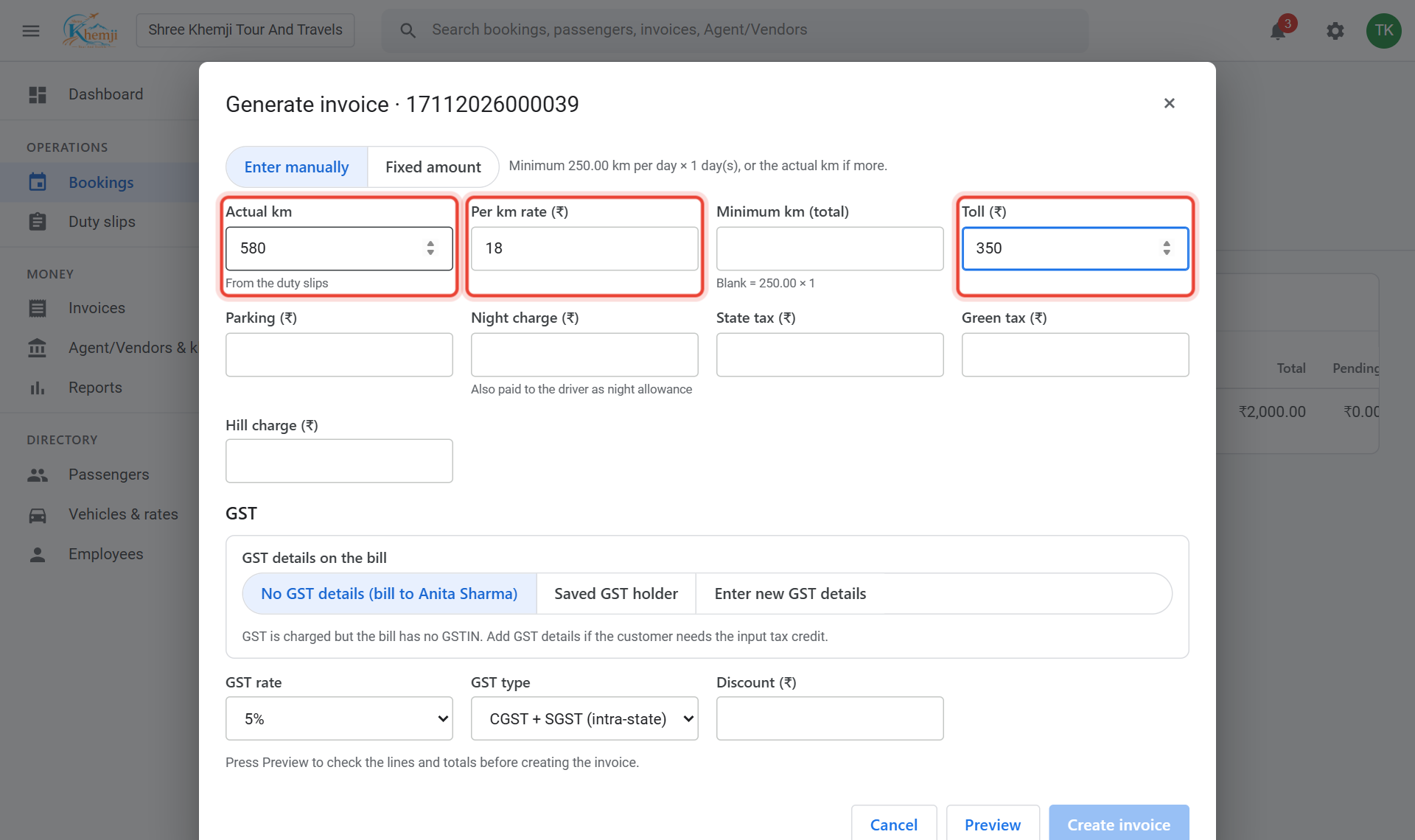
Check the boxes. Actual km comes from the duty slip; the rate from your rate card. Add Toll, Parking, Night charge or taxes if any.
- 4
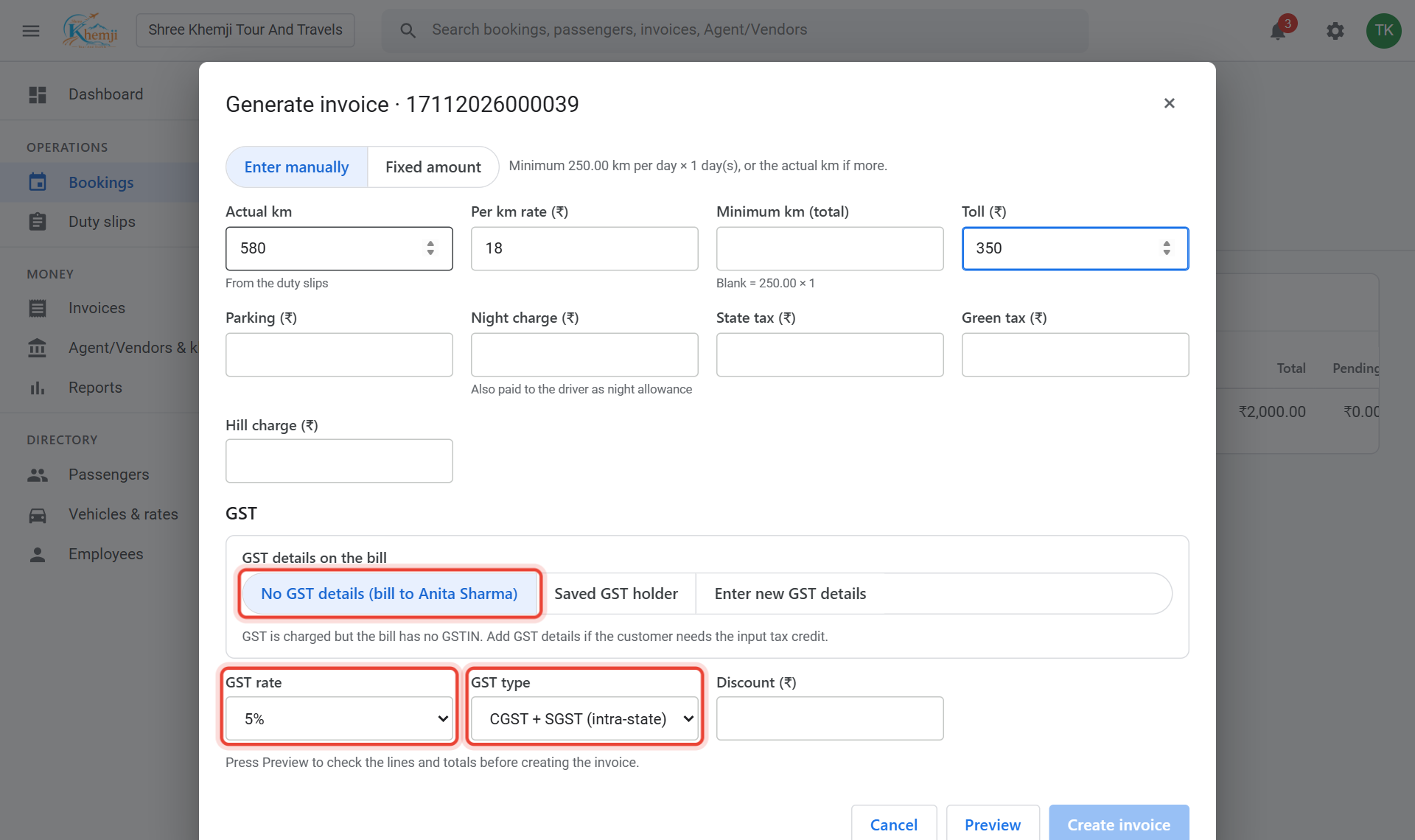
Under GST, choose the GST rate (No GST, 5% or 18%) and the GST type: CGST + SGST inside your state, IGST for another state. For a company bill, choose Enter new GST details and type their GSTIN.
- 5
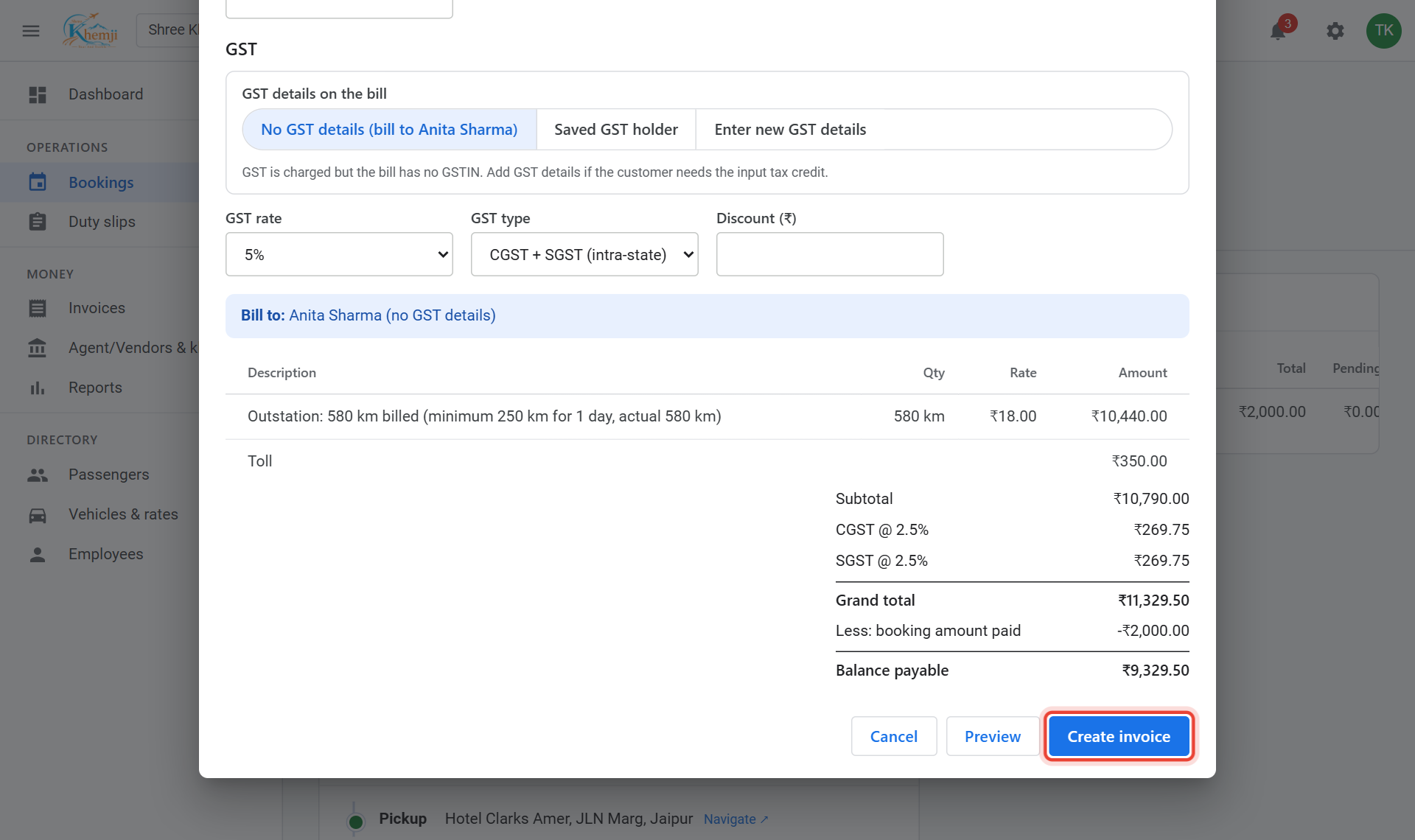
Click Preview and read the bill: each line, the GST, the booking amount taken off, and the balance to pay.
- 6
All correct? Click Create invoice.
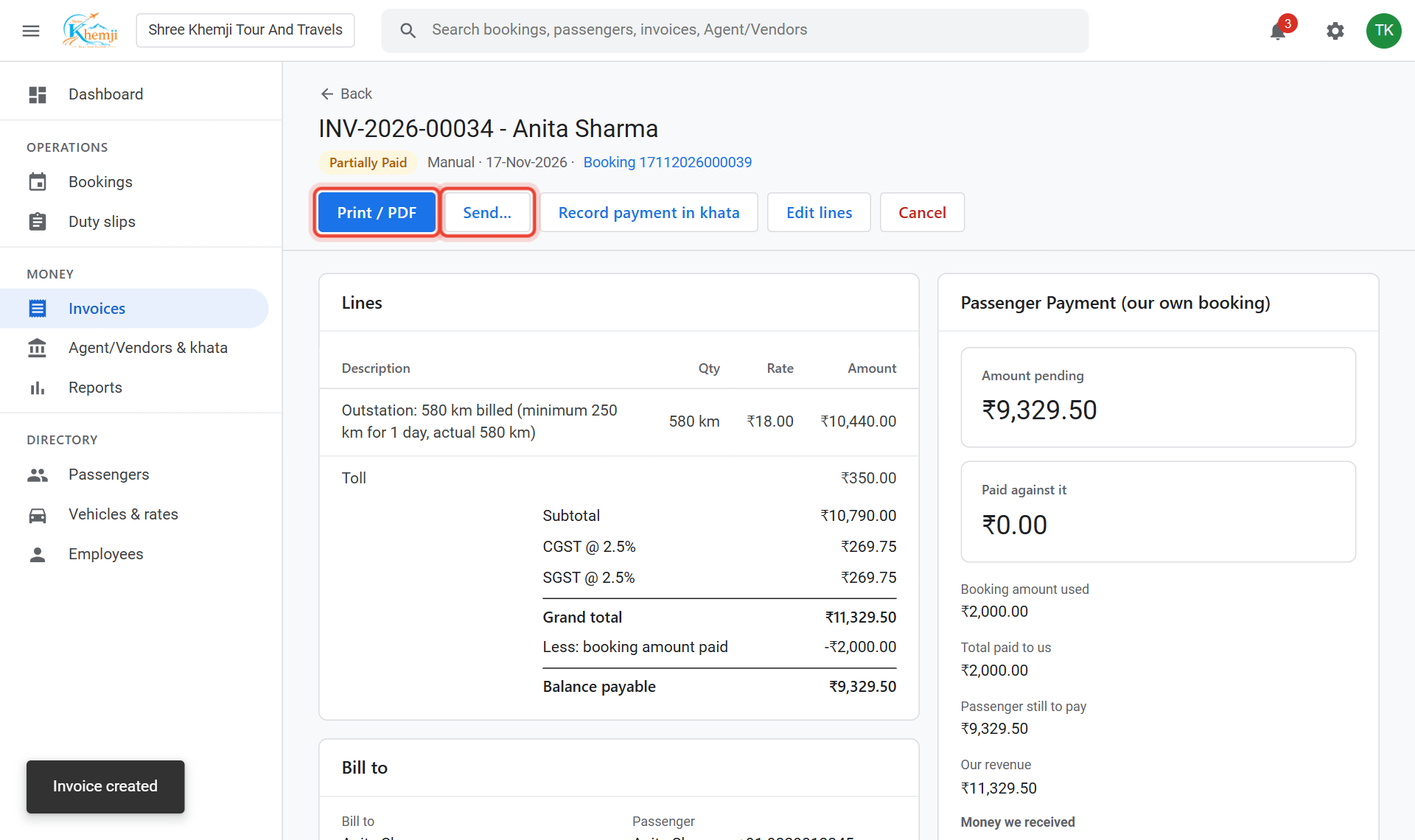
Done. The invoice opens. Print / PDF prints it on your letterhead with logo and signature; Send… sends it by WhatsApp or email.
- 8
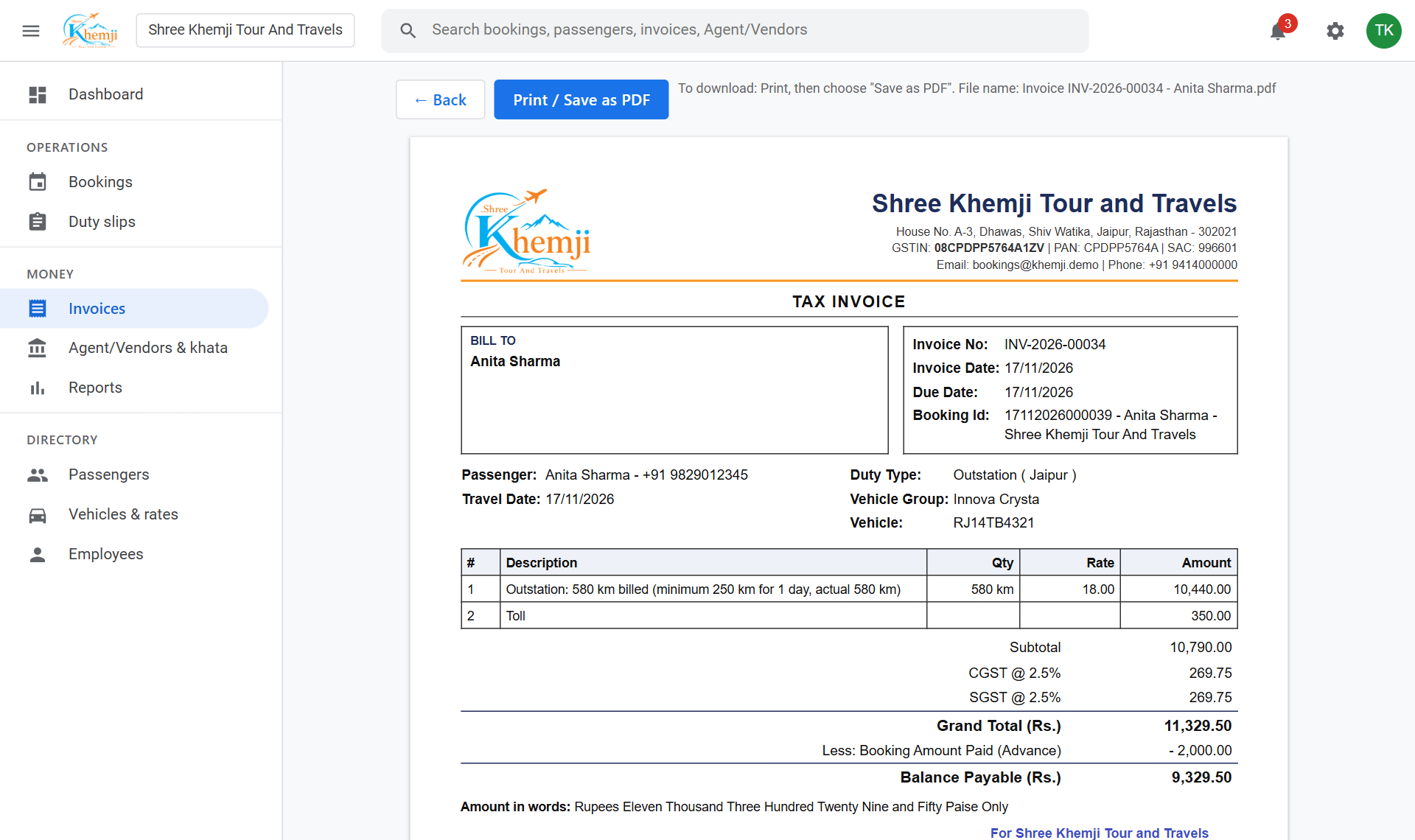
This is how the printed tax invoice looks.
The booking is now Invoiced and its open duty slips are completed. To change a figure later use Edit lines; to undo, Cancel the invoice with a reason (invoices are never deleted).
Did this help?
Stuck on a step? We help on call and WhatsApp, in Hindi and English.